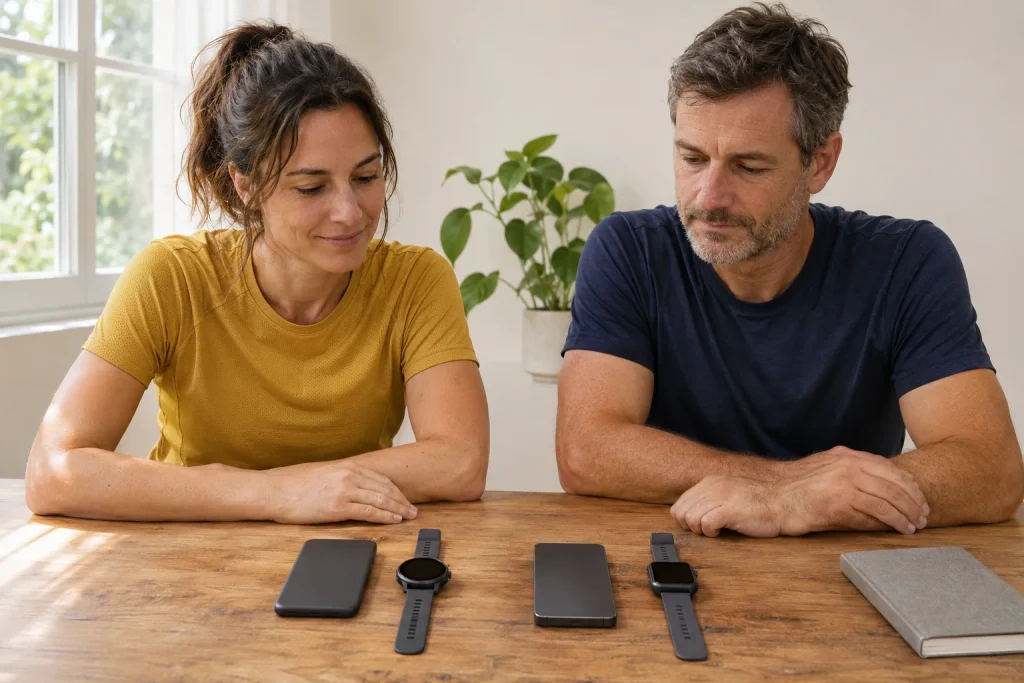
Choosing a running watch often begins at the wrist, yet the phone in your pocket deserves attention first. The same watch can offer different functions with iPhone, Samsung Galaxy or another Android device. Differences extend beyond pairing to notifications, health apps, cellular service, payments and data export. Ask not simply whether it works with your phone, but which task important to you works.
This guide compares Apple, Samsung and Amazfit documentation checked on 21 November 2026. It is not our own device test or a complete operator-offer list: check the specific watch, phone, app version and region together. Internal links lead to detailed model articles. An old compatibility table or similarly named predecessor does not automatically validate a new purchase.
Compatibility has at least four gates
The first is basic pairing: the watch needs a suitable phone and system for setup. The second is the app, whose current store minimum may differ from an older manual. Third is permission for a feature, such as notifications or location. Fourth is the service: supported country, account, bank or mobile plan. Successful Bluetooth connection may establish only one initial task.
Give your requirements separate rows: recording without a phone, viewing messages, replying, calling, watch payments, a supported health function and preserving data after changing phones. Record conditions for each. Leave a question mark where no specific confirmation exists; do not infer support from another working feature.
Exact watch and phone models matter too. A tablet or relative’s device may not replace your paired phone. Workplace restrictions, installation bans or missing services can affect use. Verified installation and manufacturer support on your own device before buying are better starting points than general iOS or Android icons on a box.
Apple Watch: the iPhone requirement exists before the run too
Apple’s current buying information specifies iPhone 11 or later, including iPhone SE second generation onwards, with iOS 27 or later for Series 12, Ultra 4 and SE 3. Here, Apple Watch belongs with iPhone rather than being generally pairable with Android. Check watch and software support together; experience from an older generation does not answer every new-model question.
Recording without a phone differs from initial setup or full daily use without one. State when you would leave the phone home and which feature is needed then. GPS workouts, downloaded content and independent cellular service have different conditions. They do not all need identical connections, but successfully using one does not establish another.
The Series 12, Ultra 4 and SE 3 articles help distinguish watch requirements. Phone compatibility may be a common foundation, but health, display and workout features still differ. Do not infer that a cheaper or older version receives every other model’s features from the Apple Watch name.
Galaxy Watch9 and Ultra2: Android basics are not every Galaxy function
Samsung’s global Watch9 and Ultra2 introduction specifies Android 13 or later, suitable memory and a phone supporting Google Mobile Services for activation. September 2026 regional compatibility tables also distinguish these from earlier generations. Current Watch9 and Ultra2 are not intended for iPhone. Do not apply descriptions of old iOS-compatible Galaxy Watch models to them.
A supported Android phone from another maker can provide a basic connection while certain Galaxy ecosystem functions need a Samsung phone. Samsung’s buying information distinguishes this too. If a special health or AI feature determines your choice, read its conditions separately. Basic notifications or an activity log do not establish access to the complete package.
The Galaxy Watch9 and Ultra2 guides narrow questions to the model. Add phone brand and system to your requirements. ‘I use Android’ is insufficient, especially with an old system, a phone lacking Google services or corporate restrictions.
 Enlarge image
Samsung Health and Health Monitor are not interchangeable names
Samsung Health’s general sports and health log differs from Health Monitor’s defined functions. The Hungarian Health Monitor page describes compatible Galaxy watches, suitable Galaxy phones and regional conditions. The app’s Android minimum and the new Watch9’s basic pairing minimum are separate: an older app requirement does not automatically reduce a new watch’s phone requirement.
The support page also notes purchase country, service availability and some reinstallation situations. For an imported watch, check more than powering on and connecting. Ask about regional support for the feature you need. We recommend no modified app or regional workaround instead of official conditions.
ECG availability is not a general heart-examination promise. Read intended use and limits in manufacturer documentation, consulting a professional for health questions. Our separate overview distinguishes heart rate, HRV and ECG. Choosing a phone can resolve a technical requirement, but does not turn an app into a device ruling out every disease.
Amazfit and Zepp: two mobile systems, model-dependent details
Several Amazfit watches work with iPhone and Android through Zepp. Still read each specific specification. The European Active 3 Premium page lists Android 7 and iOS 14, while the current Hungarian Zepp App Store requires iOS 15 or later. An old hardware minimum and today’s installable app requirements need not match.
The detailed Balance 3 Global Version manual separately specifies stricter model-level requirements: Android 8.0 or iOS 17.0 and later. A lower Zepp installation minimum therefore does not override that watch’s pairing requirement. General Amazfit platform information must not become an identical requirement for every model.
Cheetah 2 Pro documentation also differs: the detailed manual and product page name iOS 14, while the short electronic guide gives iOS 15. For a borderline phone, we do not promise reliable current operation by selecting the more favourable number. Current installation availability, device support and manufacturer clarification when needed together provide an answer.
The Cheetah 2 Pro, Balance 3 and Active 3 Premium have separate guides. A shared Zepp platform does not make every radio, audio, sensor and navigation feature identical. Alongside your phone, case version, region and firmware belong in the decision.
Viewing messages, quick call replies and EU forwarding are different functions
Displaying a notification differs from replying. The current European Active 3 Premium specification marks Call Quick Reply Android-only and phone-camera control iOS-only. These are specific fields, not rules for every message on every system. Bluetooth calls, SMS, app notifications and camera control are separately testable services.
Amazfit’s 2026 iOS Notification Forwarding is a specific exception to the old blanket claim that iPhone users can only view. The manufacturer describes supported replies and actions as a beta feature for eligible EU users on iOS 26.5 or later. The current list includes Balance 3, Balance Ultra and Cheetah 2 Ultra; Active 3 Premium and Cheetah 2 Pro remain future additions in the checked article.
Promised later support differs from a function already on your watch. Check current Zepp and watch versions, eligibility interface, region and notification type together. Replies supported by one messaging app do not establish the same button for every other app. Test the specific message type you need after pairing.
Cellular service: GPS running and calling are different needs
Built-in GPS can help record a route, while cellular service is separate. GPS + Cellular or LTE may identify suitable hardware, but active service also needs a supported operator and plan. Apple’s Hungarian operator list currently names Magyar Telekom and One; still confirm the particular watch and subscription with the operator.
An imported watch’s model code is particularly important because manufacturers do not promise identical worldwide cellular use for every model. The general word eSIM does not answer watch-service questions. A phone eSIM plan and adding a watch are not necessarily the same product. Give customer service the complete model code and your plan before buying.
For phone-free running, clarify the connection’s purpose: live tracking, calls, music or uploading later. These may involve different needs and costs. Safety features also depend on actual coverage and support; do not expect a general icon to summon help in every situation. Keep your route and communication plan realistic.
Payments, music and subscriptions: separate provider conditions
A bank card working on your phone does not automatically establish watch-payment support. Payment system, model, region, bank and card type matter together. NFC alone is not a payment guarantee. If essential to purchase, check the current manufacturer support list and bank’s answer for the precise model.
Music has several meanings too: controlling phone playback, copying your files to the watch or using a supported offline service. These may need different apps, storage and subscriptions. If watch music is why you would leave the phone home, ‘music control’ is insufficient. Check actual phone-free playable content and conditions.
Subscriptions often continue independently of the purchase package. Moving phones or deleting an app does not necessarily cancel them. List sports logs, music, cellular and optional AI or wellness services separately. This keeps total monthly cost and cancellation location clear alongside the watch’s one-time price.
 Enlarge image
Changing phones: backup and sync before unpairing
Before a new phone, check recent workouts reached the correct account and important history is preserved. Apple’s new-iPhone migration guide separately covers updates, backups and conditions for keeping health data. Erasing the old phone should not be first. Recovering data stored only locally may later be limited or impossible.
Amazfit manuals also describe Zepp sync and unpairing on the old phone, with separate removal of the iPhone Bluetooth connection. Follow your model’s procedure rather than randomly initiating a factory reset familiar from another watch. Other makers may handle accounts, backups or mobile plans separately. Clarify backup before any step risking data loss.
When changing platforms, continued watch usability and preserving the old log are separate decisions. Exporting an activity does not make Apple Watch Android-compatible, and copying a file to iPhone does not officially pair Watch9. Some data can be retained even when old hardware no longer fits the phone. Separating these makes switching costs more realistic.
Test this before deciding to buy
Open the required app in your own phone’s store and inspect compatibility. Note the watch’s complete name, phone model, system version and intended extra feature. Check today’s app requirement alongside the manufacturer minimum. With an older phone, this may decide the purchase before display size or case colour.
If a demonstration is possible, request a named task: a supported notification and reply, correct workout sync or explanation of cellular conditions. Do not generalise it to every model or region. Read documentation and return conditions for your own unit too; brief pairing is not a complete durability or health test.
For broader watch selection, our guide to twenty-five models provides the next step. Phone compatibility filters candidates; then come your training, navigation, wear and battery needs. A good decision leaves you knowing the exact phone–watch pair, system and services chosen, and which extra still needs checking.
Sources and current compatibility documents
- Apple Watch Series 12 technical specifications
- Apple: iPhone requirements for Series 12, Ultra 4 and SE 3
- Samsung: global Watch9 and Ultra2 specifications, Android and activation
- Samsung: model generations and phone systems
- Samsung Health Monitor: Hungarian conditions and regional limits
- Amazfit Active 3 Premium EU product page with platform-specific features
- Cheetah 2 Pro detailed manual
- Cheetah 2 Pro short electronic guide with a different iOS minimum
- Zepp Hungarian App Store: current minimum and release notes
- Amazfit: EU iOS Notification Forwarding beta, current and future model lists
- Apple Hungary: supported watch-cellular operators and models
- Apple: transferring a watch to a new iPhone
- Apple: specific technical requirements for apple-watch-ultra-4
- Apple: specific technical requirements for apple-watch-se-3
How Futószív articles are prepared: our editorial guidelines.