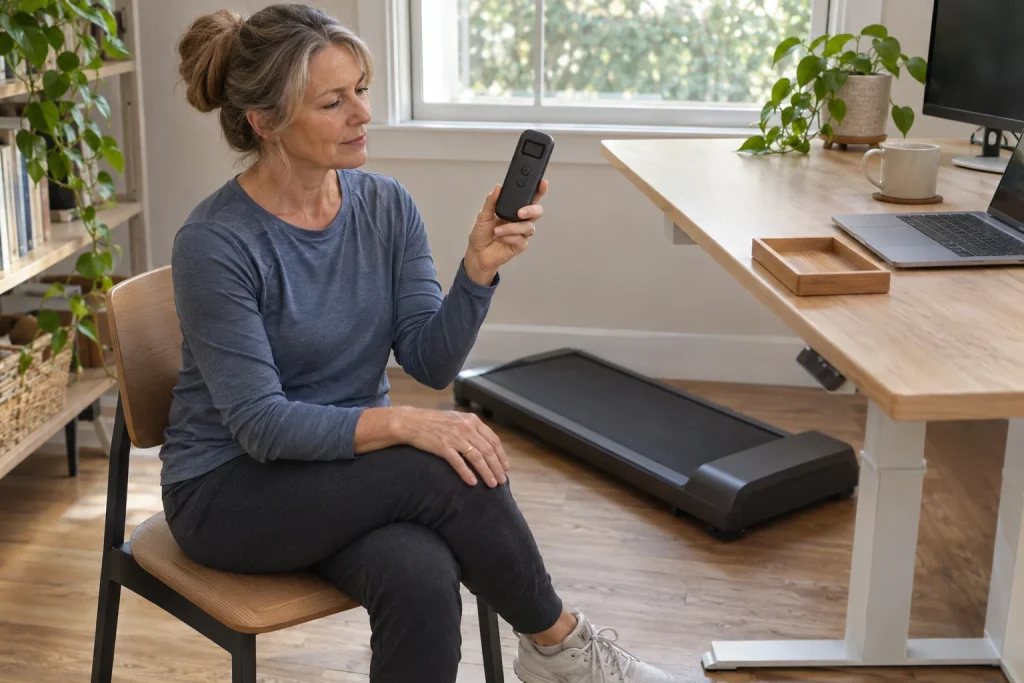
One distinctive feature of the WalkingPad P1 is precisely what may initially look like an omission: there is no data screen on the front housing. The display moves onto the remote. This may make the design cleaner, but also increases the small controller’s importance: you view data in the same place you change speed or stop. When choosing the P1, the remote is therefore not a minor accessory merely to tick off in the box. This guide begins with the handheld display and follows the daily decisions that result.
First define the P1’s task as walking
The US manufacturer’s specification lists a 0.5–6 km/h range, a 1200 × 415 mm walking surface and a 100 kg user limit for the P1. Its basic task is walking, including near a desk. A compact pad designed for walking does not become a full running treadmill because a runner buys it. Your training, the machine’s intended purpose and the version’s usage limits are three separate checks.
If your goal is walking while working, describe which tasks offer time for it. A conversation, reading a document and editing that requires precise hand movements create different situations. You do not have to combine them all with walking. Choose the machine for a clearly defined use that could work in your environment, not an unlimited daily-activity promise. Our article on the role of walking also helps place it alongside running training.
The nominal minimum speed does not by itself prove the slowest setting is comfortable or appropriate for everyone. Nor is the upper limit a target. A trial should establish whether the permitted range contains a manageable setting fitting your task. Recognising that work requires stable standing or sitting is as useful a result as finding an activity that works while walking.
A handheld display moves attention to a new place
The manufacturer’s separate P1/C1 remote page lists speed, distance, time and calorie displays. Its FAQ also confirms that the P1 housing has no LED data display of its own. The controller held in your hand or within reach therefore becomes the central feedback point. However, its small screen must be readable from your own usage position just as a large console must.
In a meaningful trial, notice where you can hold or place the remote so you do not need to search for it and can interpret the data. This is not an invitation to watch it continuously. Knowing current speed may be enough while walking, with the summary reviewed afterwards. Separate controlling the device from browsing data: the former may require immediately accessible equipment, while the latter can wait until after finishing.
Before buying, examine the display with your own eyesight, usual glasses and real lighting. A magnified detail in a product image is not the remote’s actual size in your hand. Reflections, changing displayed values and distinguishable buttons can all be personal usage considerations. If enlarging the picture still does not tell you which value appears when, ask for a demonstration or precise explanation.
The remote needs a permanent place, not occasional memory
When arranging the room for the P1, designate the controller’s location. This could be an accessible part of the desktop where papers do not cover it and a movement will not knock it off. Use manufacturer-provided attachment and usage options according to your instructions; do not make a holder that blocks buttons or access. The aim is to give this small device a clear role during both use and storage.
In a shared household, objects quickly move elsewhere. Do not treat the P1 remote like an accessory for a rarely used television. Agree what it belongs to and where it returns after use. Storage should be appropriately protected from children and unauthorised starting. Tidiness does not replace switching off and storing the machine according to the manual, but reduces uncertainty next time.
If the remote disappears, pause the usage plan and clarify the specific machine’s documented control options first. Do not start learning automatic mode out of necessity or assume any similar-looking controller will work immediately. An existing phone connection also needs checking separately. The solution to a missing accessory must match the exact model just as the original accessory did.
 Enlarge image
Check complete compatibility, not just batteries, pairing and replacement buttons
The official P1/C1 replacement remote page specifies two AAA batteries. This differs from the coin cells used in several other models from the brand. Before replacing batteries, check your controller’s markings and instructions; do not choose from the WalkingPad name alone. Correct power and appropriate pairing are separate conditions, so new batteries do not automatically establish a working connection.
The manufacturer’s accessory page offers a separate P1/C1 remote, and its FAQ asks users to match the exact model and product version. This is a reminder that similar button layouts are not enough. When buying a replacement, check the machine’s model code, region and controller compatibility list together. The value of an apparently cheaper universal option cannot be established before delivery if compatibility is unverified.
The manufacturer’s troubleshooting article dated 10 November 2026 mentions checking batteries and, if necessary, re-pairing according to model. Do not take the detailed button combination from a video for another model. Follow your own manual and request support with the model number if the controller still fails. An apparent remote fault can also be a communication issue; it does not mean the machine’s electronics should be opened at home.
FootSense uses a different control logic from manual speed
The P1 product page also lists FootSense. The manufacturer’s FAQ explains it on supported models as automatic speed control linked to position on the belt. It is not a heart-rate-based coach, diagnostic system or general balance-protection solution. Manually selected speed and position-dependent changes may demand different attention; understand the feature’s value in your own situation.
First learn manual-mode operation separately, without a work task, following the manufacturer’s low-speed familiarisation advice. Later assess automatic mode according to your machine’s instructions. Your position at the desk and the machine’s sensing logic are separate matters; do not arrange the workstation so that constant reaching or uncertain positioning on the belt must compensate for control difficulties.
You do not need every feature every day. If manual settings let you walk calmly during a familiar task, that is a valid usage decision. If automation interests you, learn its documented operation rather than treating ‘adjusts itself’ as a complete explanation. Good guidance and a good trial clarify precisely which signals change the machine and what you should do in its different states.
A motor specification is not an electricity bill
The US P1 technical table checked on 21 November 2026 lists a brushed motor and 746 W input power. It should not be described as a brushless motor or confused with horsepower specifications of other WalkingPad models. Motor construction, electrical input power, continuous mechanical power and daily energy use are different quantities. One specification cannot establish the full electricity cost of your own half-hour walk.
An original conditional physics example: if an appliance drew exactly 0.746 kW constantly for half an hour, the energy would be 0.373 kWh. This is not consumption measured on the P1, an upper limit valid at every load or a Hungarian price calculation. Actual usage cost requires appropriately measured energy and your applicable tariff. Multiplying a specification by time is meaningful only alongside the assumptions.
The calorie display means something entirely different. The machine’s electrical energy cannot directly be interpreted as your body’s energy use, and displayed calories are not a direct metabolic measurement. It would be equally wrong to infer better training effects or more accurate health measurement automatically from a larger motor figure. Stay with the actual task: finding a walking device that works appropriately and is manageable for you.
Turn compact dimensions into a complete room plan
The US table gives folded dimensions of 822 × 547 × 129 mm and a net weight of 28 kg. These belong to that specification and need checking against documentation for your version. A slim stored shape and substantial moving weight can both be true. An object fitting a small space is not necessarily easy to lift, and transport wheels do not solve thresholds or stairs.
An original footprint calculation gives 0.822 × 0.547 metres, approximately 0.45 square metres. This is only the stated horizontal rectangle’s area, not operating-space demand. Clear space beside and behind the machine, folding space, door movement and desk movement need separate checks. An advertisement showing only stored dimensions cannot define a suitable operating area in your home.
Choose storage position solely according to the instructions supplied for your own P1. Another machine from the brand being suitable for upright storage does not give general permission for the P1. During a buying trial, consider the routes for use, moving and putting away. If the remote ends up in another room and the cable remains across a walkway, a folded machine alone does not mean orderly storage.
 Enlarge image
Record the walk as the event, not the number of devices
KS Fit is the manufacturer’s official app, but app control and stored workout history are separate checks. Display data, the session on your phone and an independent watch recording do not automatically form one coordinated entry. During an early use, check finishing and saving too. What matters is not merely the phone recognising the P1, but finding the completed walk later in the intended place.
In our recording example, a twenty-minute walk appears on both watch and phone. That does not mean you walked forty minutes. First check data sources and time boundaries, then handle duplication using the platform’s available tools. Displayed distance and a wrist device’s estimate may also differ. A separate guide explores comparing treadmill and watch distance.
Your working-day walking diary can also include which task accompanied it and any interruptions. This helps distinguish standalone activity from walking fitted around work. Every session need not be a record, and the remote’s counter does not require you to continue. A well-chosen device creates a useful habit rather than urging you to collect the greatest possible number of figures each time.
Try the remote before buying too
A P1 trial should be complete: identify your version, read the display, learn manual controls, check saving data and plan storage. Ask about obtaining a replacement remote locally and about service. The US specification identifies a 110 V version; this does not establish electrical compliance for a Hungarian unit. Documentation and terms for the locally purchased machine should be clear.
If you like the P1 for its clean housing, add the requirement that you can comfortably manage its remote display. If that holds, handheld information may be logical. If the small display or constant remote access is difficult, compare another arrangement. The decision is about placing feedback and controls where they are useful to you in daily life.
Sources and verification
Manufacturer pages checked on 21 November 2026. Calculations are original conditional illustrations, not measured consumption, noise or durability results. Conditions for the specific product version and supplied manual take precedence.
- WalkingPad P1: manufacturer’s features and technical table
- Original P1/C1 remote: display and batteries
- WalkingPad FAQ: P1 display, FootSense and app
- Official accessory page: model-specific compatibility
- WalkingPad troubleshooting guide, 10 November 2026
How Futószív articles are prepared: our editorial guidelines.