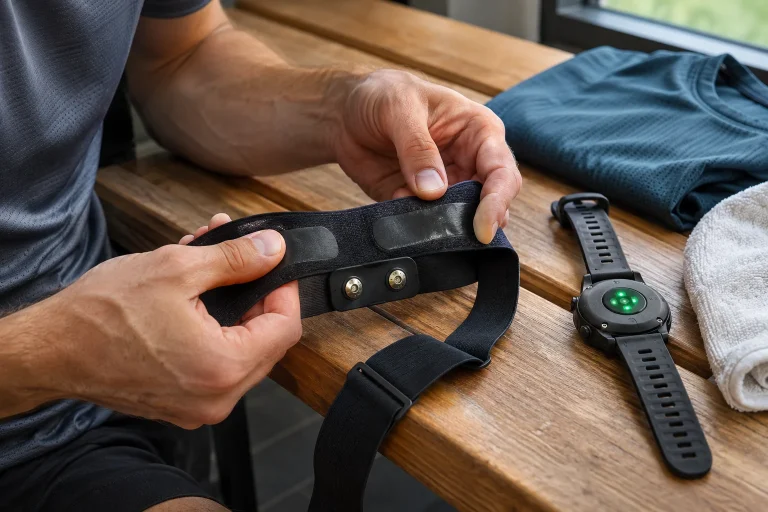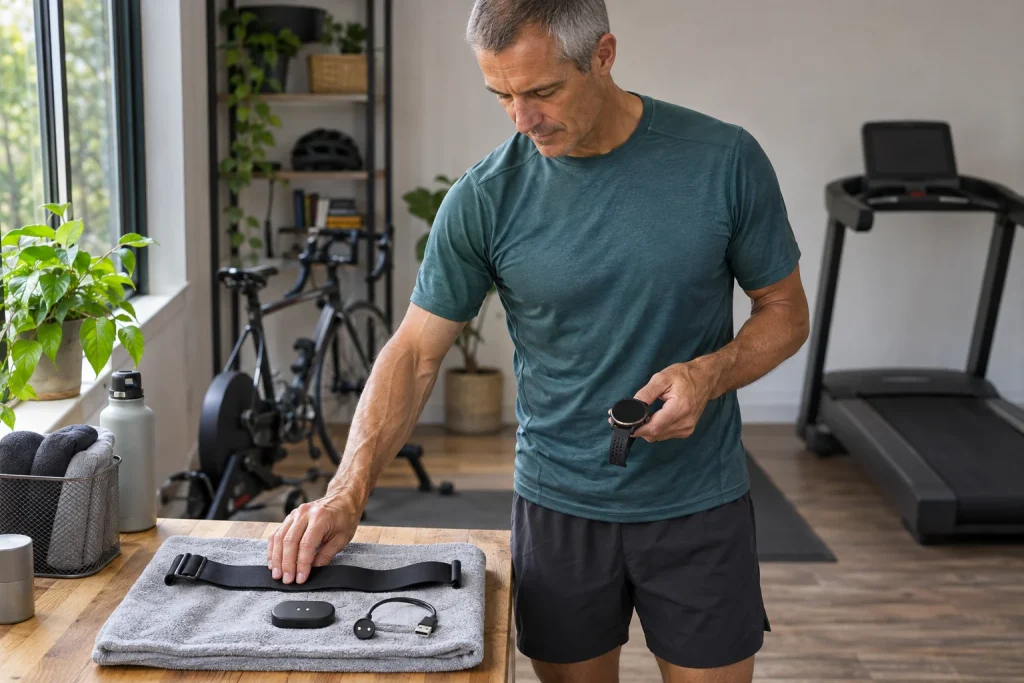
The Wahoo TRACKR HEART RATE is a rechargeable chest-based heart-rate sensor that can transmit over ANT+ and up to three simultaneous Bluetooth connections. This may suit runners who use a phone app or compatible exercise machine alongside their watch. Multiple connections, however, are not multiple independent memories: TRACKR is a live transmitter, and the receiving watch or app must save the data. Do not transfer the older TICKR X’s offline recording capability to this model.
This guide draws on Wahoo manufacturer materials checked on 21 November 2026, including support pages updated in October 2026. It is not our own device test or a medically reviewed article. We examine heart-rate and HRV transmission, the receiving app’s capabilities and charging and cleaning routines separately. The important question is not only what the sensor can send, but what your own system displays and saves from it.
TRACKR HEART RATE, TICKR X and other TRACKR devices
Several Wahoo products carry the TRACKR name. HEART RATE is a chest-based heart-rate sensor; TRACKR SPEED is a cycling speed sensor, and TRACKR RADAR is a cycling accessory with another purpose. A similar family name does not mean a shared measurement function. Find the exact heart-rate product’s support page, particularly for pairing, charging and firmware. A button sequence or battery specification from another TRACKR guide can easily mislead.
The TICKR and TICKR X names also frequently appear in comparisons. Wahoo explicitly states that the TRACKR HEART RATE strap is not the same as their replacement textile straps and that the device does not store offline heart-rate recordings as the TICKR X does. It does not promise to collect running dynamics either. A dynamics page visible in a Wahoo app screenshot therefore does not prove that TRACKR supplies those data.
For your own purchasing task, write down the missing function in full. “I want to save heart rate with my watch” is different from “I want to leave both watch and phone at home”. A reliably connecting live transmitter may meet the first requirement; the second would need a solution with independent recording. A product-family name cannot reconcile the two needs. Choose according to the specific data path rather than the greatest number of familiar abbreviations.
Chest contact: wearing it over clothing is different
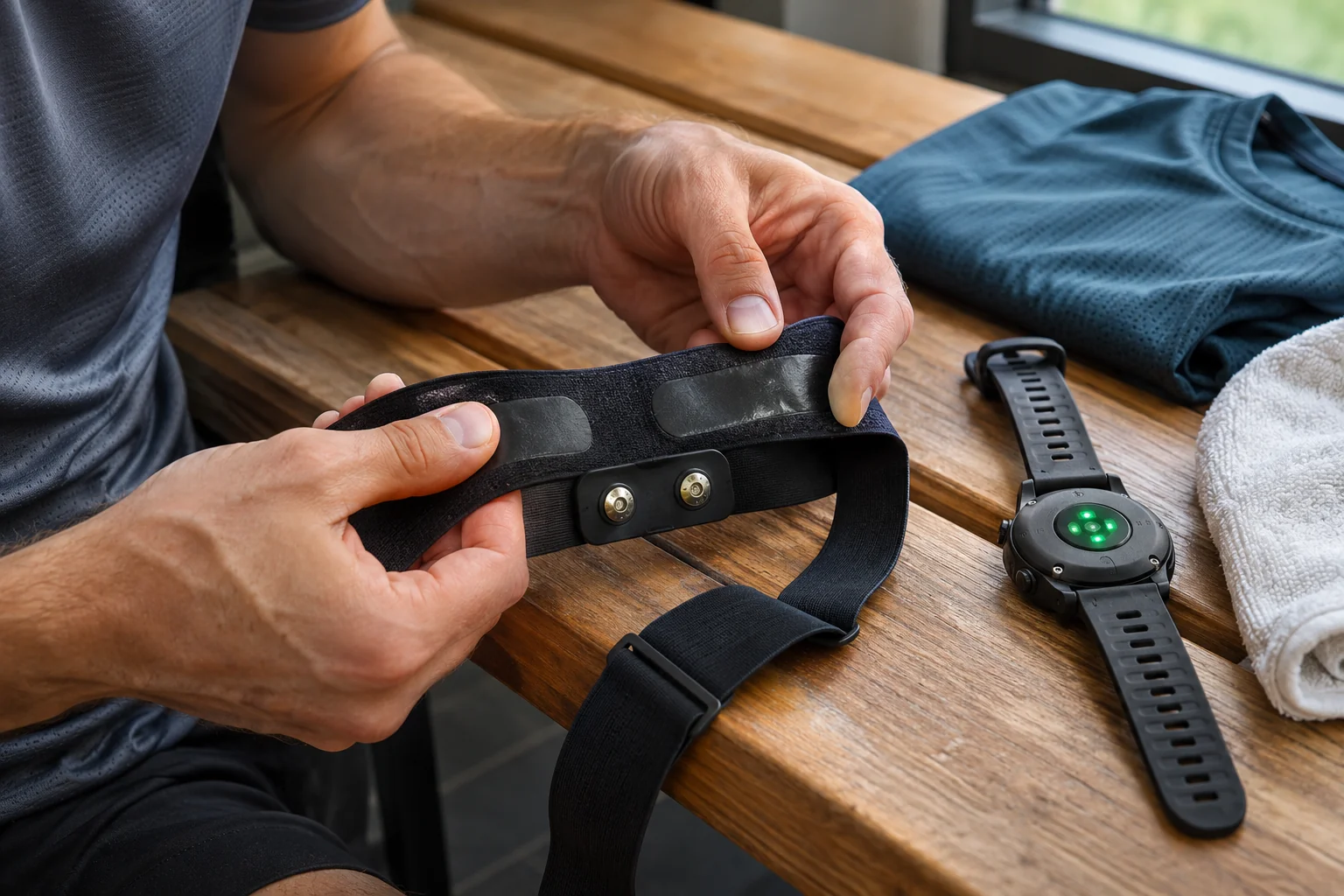
TRACKR HEART RATE detects an electrical signal at the chest. The manufacturer’s wearing instructions call for central placement near the lower part of the sternum and direct skin contact. In dry or cold conditions, slightly moistening the contact surfaces can help establish contact. Clothing must not come between the electrodes and skin, as this produces a different contact from the one the device was designed for.
The tension should be stable but comfortable to wear. With a moving or rotating strap, the radio connection is not the only possible problem: contact itself may change. As a personal check, inspect the position after dressing too, and observe whether the textile folds or the attachment loosens. An unusual graph alone, however, cannot conclusively establish whether a contact fault or another change occurred.
Electrical measurement does not turn a sports strap into a clinical ECG examination. Wahoo also states that it is not intended as a medical device. Heart rate and beat intervals are for sports use; do not expect an arrhythmia diagnosis from them. If you have symptoms, an attractive trace does not override them, and continuing exertion merely to make the next data point look more reassuring is unwise.
ANT+ and three Bluetooth receivers: assign roles first
The hardware’s multiple transmission paths allow suitable devices to receive the same live heart rate. The Bluetooth connection limit is three, with ANT+ support listed separately. The particular watch, app or treadmill must actually accept an external heart-rate signal. Bluetooth speakers or phone notifications do not automatically mean heart-rate sensor support.
One example data path: the watch is the primary recorder of the complete run, a compatible treadmill display shows live heart rate, and a phone app makes only a deliberately planned comparison recording. These are separate roles. If both recorders upload to the same external log, a duplicate activity can result. An extra connection does not require an extra upload, so designate the final log destination too.
Heart rate appearing on the machine does not prove automatic speed control, NFC access or cloud workout recovery. These are separate machine functions to check in the support information for your console and software. If the watch works but the treadmill cannot find the sensor, first examine the treadmill’s reception capability and the selected protocol. Deleting all the heart-rate monitor’s pairings will not necessarily solve absent machine support.
 Enlarge image
HRV transmission and HRV recording are different capabilities
According to Wahoo’s FAQ, TRACKR HEART RATE transmits both heart rate and data related to R–R intervals. The manufacturer separately notes there that the Wahoo app and Wahoo GPS cycling units currently do not support displaying or recording HRV. A suitable alternative receiving app or device is required. The hardware’s transmission capability can therefore differ from the analysis available in its own branded app.
If HRV data are a specific reason for choosing a strap, check the receiver’s exact function too. Live display, saving to a recording file and exporting raw data are separate questions. A heart-rate strap appearing on an app’s support list does not automatically grant access to all three. The useful answer for a purchasing decision is whether the required data can actually be saved in the required format, rather than merely whether a device is “HRV-capable”.
An illustrative example: both your watch and phone show a heart rate of 145, but this does not tell you which saved beat-interval data. Even at identical BPM, the received data and file contents may differ. Inspecting the finished log and export tells you more than two matching numbers. Interpreting HRV is another task again, rather than a general recovery or health verdict obtainable from one workout.
Wahoo app: pairing, data source and actual recording
In the current Wahoo app, sensor management is under the Devices tab. After adding an awakened TRACKR, you can check its status and device identifier. The app accepts Bluetooth Low Energy sensors; the phone Wahoo app does not handle ANT+ connections. This demonstrates why citing the strap’s ANT+ hardware capability is insufficient to explain phone use.
On the Record tab, the Data Sources view helps select the sport profile and sources for individual data. Distinguish the saved sensor list from the heart-rate source assigned to that profile. If you have several heart-rate monitors, a paired but unselected device can be misleading. Before starting, check that the signal in the profile you intend to use really comes from TRACKR.
Recording begins with a separate Start action; pausing, ending and saving at the finish are also the app’s tasks. Putting on the sensor alone does not create a saved activity. After your first test, find the workout and heart-rate trace in History. If you also want a route, the recording phone or watch provides the necessary positioning, rather than independent GPS in the chest strap.
First wake-up and the LED that goes dark after thirty seconds
TRACKR may arrive in a low-power shipping state. Connecting it to the charging cable and a power source wakes it before first use. A newly unboxed sensor that does not respond when put on is therefore not necessarily faulty. After the correct initial setup, the charged device activates on chest contact and can transmit to a previously paired receiver.
The blue LED’s flashing pattern distinguishes searching, connecting and an established connection. According to the manufacturer’s description, the indicator switches off after thirty seconds to save energy. A dark LED alone does not mean measurement has ended. Check the receiver’s connection and updating data too; otherwise normal operation may look like a fault and prompt unnecessary re-pairing.
During charging, flashing and steady green indicate different charge states. Low levels have separate amber and red indications, and the device shuts down below five per cent. Read the exact patterns in your model’s LED guide rather than recalling those of another Wahoo sensor. Colour, flashing and whether the device is on its charger need interpreting together.
Rechargeable battery and rated operating time
TRACKR HEART RATE is not a replaceable coin-cell model: it has a lithium-ion battery charged with the appropriate magnetic-connector cable. Support materials mention over one hundred active hours, and the FAQ gives more than 110 hours under optimal conditions. These are manufacturer figures, not our measurements or guarantees for every use situation. The battery’s current condition and actual use still matter.
A purely arithmetic example: five weekly uses of fifty minutes each total 250 minutes, or four hours ten minutes of active time. This is not a recommendation for training frequency, nor do we derive a precise charging calendar from it. Simply dividing the rated maximum does not account for standby or battery changes. Checking charge before an important run is more practical than relying on the large number on the box.
The sensor must be completely dry before connecting the charger. Wet contacts and the device’s water-resistance rating do not make wet charging appropriate. For extended storage, the manufacturer recommends at least thirty per cent charge. This differs from daily charging needs; an infrequently used spare sensor also merits occasional condition checks.
 Enlarge image
Hand-wash the strap, detach the transmitter and store it dry
Wahoo specifies hand washing for this model’s textile. Remove the transmitter first, and do not put the textile strap in a washing machine. This is a different care procedure from that for some machine-washable straps with removable modules. Two snap fasteners and a removable central unit do not alone prove machine washability. The exact product’s own instructions govern in every case.
Removing salt residue from contact surfaces can help operation. A strap put away wet may briefly detect conductivity as though it were still being worn; the manufacturer also describes undoing one snap to break the circuit. The goal is a clean, dry assembly, rather than forcibly dismantling the transmitter. Inspect the thoroughly dried textile and module again before the next use.
The word TRIATHLON does not make TRACKR a swim-workout recorder either. Alongside its water-resistance rating, Wahoo specifically states that it does not support underwater transmission and later offline heart-rate upload. Resistance to water and a usable log from swimming are different properties. Do not wait until the next transition to discover that this device cannot supply your swim-section heart rate afterwards.
Updates and troubleshooting with multiple receivers
The release notes for firmware 1.0.16 dated 9 October 2026 describe connection and stability improvements. This is not a promise that every earlier fault is fixed, but a reason to check the current version. The Wahoo app handles updates; the manufacturer’s instructions say another app or device connected to the sensor should not interfere with data transfer during the update. Multiple-receiver use and an undisturbed update are different tasks.
If the LED responds but the app has no heart rate, support also directs you to check receiver pairing and the data source selected for the profile. If there is no wake-up or charging, investigation starts with contacts, cable and a known working power source. In your support request, describe the exact app, phone, firmware and steps already tried. An organised description is more useful than changing several devices and settings at once.
TRACKR can be a useful running accessory when you place its multiple-receiver capability within a clear recording system. Know what each device receives, where you save the run and what you cannot expect from the strap. Live heart rate, HRV transmission and a rechargeable battery can be useful features, while independent memory, running dynamics and medical diagnosis remain outside this device’s role.
Sources and verification
- Wahoo: TRACKR HEART RATE specifications and care
- Wahoo: memory, HRV, swimming and TICKR differences
- Wahoo: direct chest contact
- Wahoo: pairing a Bluetooth sensor in the app
- Wahoo: sport-profile data sources
- Wahoo: starting and saving a recording
- Wahoo: initial wake-up
- Wahoo: LED patterns and thirty-second timing
- Wahoo: firmware 1.0.16, October 2026
- Wahoo: updating sensor firmware
- Wahoo: contact, charging and missing heart rate
- Wahoo: TRACKR SPEED, a separate cycling product
How Futószív articles are prepared: our editorial guidelines.