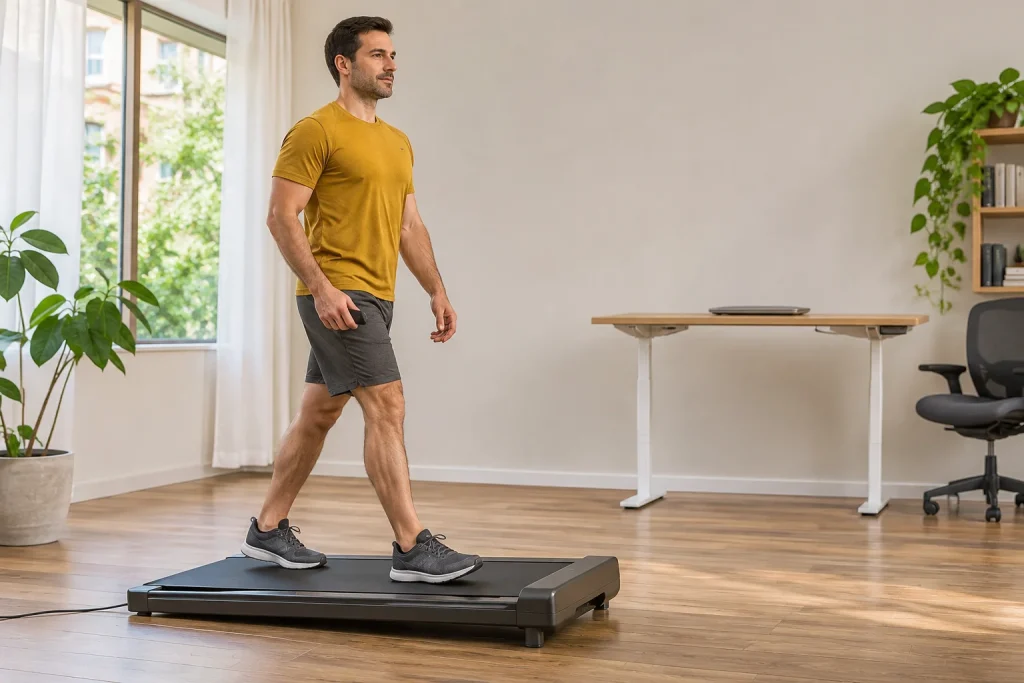
We generally imagine an under-desk walking pad as a level working surface. The UREVO SpaceWalk 3S offers another possibility: motorised incline adjustment. This is an interesting addition, but creates a new question. Do you expect the same thing from easy working-day walking and a separate inclined activity session? This SpaceWalk 3S guide therefore considers not only maximum incline but desk placement, app control and the meaning of recorded data.
First identify the SpaceWalk 3S, not merely the 3S label
UREVO sells several similarly named products. The SpaceWalk 3S walking pad is not the Foldi 3S treadmill, and documentation for the SpaceWalk E3 or another E-series product cannot automatically apply to it. The manual linked from the manufacturer’s US support page identifies model URTM024, the SpaceWalk 3S name and document version 1.0. Check the actual machine’s rating plate, sales region and your own instructions together.
The current US product page lists 0–9 per cent automatic incline and 0.6–4 mph speed. We report the percentage according to the product description checked on 21 November 2026. This does not verify every parameter of a European unit sold to you. Clarify your local version’s range from its supplied documentation and seller, especially if markings or versions differ.
Define your purchasing goal precisely too. Walking alongside work and a separate inclined activity can be different tasks even on the same machine. You do not need the highest setting to justify its value. If you also want running training, treat that as a separate requirement rather than inferring suitability from compact walking-pad marketing images. The place of walking within a running week helps organise the purpose.
Nine per cent is not nine degrees
Incline percentage expresses vertical change relative to horizontal distance. In our geometric example, 9 per cent means a 9 cm rise for a horizontal projection of 100 cm. The corresponding angle, calculated using the arctangent, is approximately 5.14 degrees. This is not an on-site SpaceWalk 3S measurement but the difference between two units. Degrees and percentages must not be interchanged using the same number.
The incline page in the older US manual opened contains both a degree symbol alongside level markings and a percentage reference, so we do not derive a separate new angle specification from it. Reconcile the current product page’s percentage range with the actual unit’s usage documentation. If a seller says nine degrees while the manufacturer states nine per cent, request written clarification. Do not resolve the contradiction by guessing in place of measurement.
Incline does not mean you actually gain height within the room either. You remain in the same room while belt movement and the tilted surface create the situation. An app’s calculated elevation gain is therefore a separate interpretation question: distance, incline and formula used all matter. Displayed virtual elevation cannot be treated directly as an outdoor GPS track’s elevation profile.
Incline also affects your position relative to the desk
Even on a level surface, adding the machine’s full external height to an old desk setting is insufficient. Assessing the real position matters even more on a tilted walking surface. Your sole may be at different heights at different belt locations while the desktop does not automatically move with you. This is a geometric placement consideration, not a claim that every user develops symptoms or that a fault occurs at a particular incline.
In our example, two points 40 cm apart horizontally differ in height by 3.6 cm on a 9 per cent incline. This is not the travel of the machine’s lifting mechanism and does not tell you how much to adjust your desk. It shows that belt position and incline matter together. Assess the actual desk arrangement alongside your movement, hand reach and monitor position.
Do not begin by increasing speed and incline simultaneously while writing. First separately learn the manufacturer’s permitted controls and stopping procedure, then assess settings suited to the work task. One practical arrangement could separate easy desk walking from an activity period without work. This is not a training plan for everyone, but recognition of two different attention tasks.
 Enlarge image
Remote and SmartCoach: who changes the machine’s settings?
The manufacturer describes incline control for the SpaceWalk 3S through both a remote and the UREVO app. According to the product page’s questions and answers, speed and incline can change automatically during a supported SmartCoach session. This is a manufacturer claim for a specific supported mode. It does not mean every screen, programme and software version behaves identically or that any external app can access the same control commands.
Before starting, be able to say whether you are using manually chosen settings or a controlled programme. As a preparation question, review expected changes, adjustment options and the documented finish procedure. Starting a virtual scene is more than watching a video if the machine may change settings with it. Clarify that behaviour before adding a work task if it is not yet clear.
Consider remote access while using the app too. Incoming calls, screen locks and opening other apps are everyday events, but do not replace understanding control. We do not claim the SpaceWalk 3S responds incorrectly; the point is to know your system’s documented behaviour. A good trial examines the whole usage chain, not only whether Bluetooth pairing once succeeded.
A virtual route adds variety, not identical terrain
The product page uses the names SmartCoach, AI Rhythm Fit and World Tour. Visual and guided content may make an indoor session more enjoyable, but displayed scenery does not turn the belt into an outdoor trail. Uneven ground, bends, wind and your own route choices do not automatically appear because a forest path moves on screen. Treat the virtual environment according to what it actually adds: image, sound and supported programme control.
For a selected scene, separately check what the screen shows and what the machine does. A steep descent in the scenery does not prove the particular device supports negative incline. The manufacturer gives a 0–9 per cent range, which does not imply decline. Likewise, changing on-screen pace does not establish real belt speed if the displayed value’s meaning is unclear.
Comfortably followed content may be valuable for someone who finds indoor walking monotonous. But this should not be promised as a general training or health outcome. In your trial, assess whether control is understandable, whether you want to use the content again and whether it distracts from necessary attention. Visual appeal alone does not make a setting appropriate for your movement or work task.
Free download and Pro content are separate decisions
The current UREVO app page distinguishes Basic and Pro packages. It lists a basic content library and workout records for the free level, while Pro adds the full library and further AI services. The US App Store listing also indicates a free download with in-app purchases. Buying the machine or downloading the app free therefore does not establish unlimited, lasting free access to every item of content.
Check actual prices, trials and renewal in the offer displayed for your region. Several offer entries may appear in one listing; these are not different names for one subscription price applying to every Hungarian user. Write down which feature is essential and which is only an extra to try. This lets you assess the machine’s basic function separately from an ongoing digital-service cost.
An original cost example, not a UREVO offer: a service costing HUF 3,000 monthly at an unchanged price totals HUF 36,000 in a year and HUF 108,000 in three years. This simply shows why time matters alongside the one-off machine price. Actual fees, promotions, cancellation and access periods may differ. Decide before a trial ends using the provider’s and app store’s current conditions.
The machine does not measure recovery in place of your wrist
According to the UREVO Wellness Hub description, Energy Score may draw on available activity data and, where supported, sleep, HRV and resting-heart-rate data from Apple Health or Health Connect. This is data connectivity and software interpretation. It does not mean the SpaceWalk 3S walking surface independently measures sleep, heart rhythm or sweat loss. Know the original source of synchronised values.
The manufacturer’s app FAQ describes Wellness Hub as a general fitness and wellbeing service, not a system intended for diagnosis or treatment. Do not place the score above how you feel or a known health condition. A high value does not personally authorise every load, and a low value cannot establish disease. Look for usefulness in understanding trends while accounting for uncertainty.
The SmartCoach section of the privacy information mentions personalised recommendations and analysis based on activity data, with an option to disable personalisation. Separately consider which data you want to share and why. If a particular integration is unnecessary for the walking you want, assess connecting it in that light. More linked services do not automatically make a better or clearer diary.
 Enlarge image
Walking surface and clear space do not replace each other
The manufacturer’s support table states a 108 × 42 cm walking surface, 25.7 kg net weight and 120 kg user limit. A surface advertised as wider can be judged only against a precise comparison. Belt width is not the same as external machine dimensions or required side clearance. Check fit between desk legs using frame dimensions and the manual together.
The US URTM024 manual requires level placement, prohibits changing incline using objects and indicates switching off and unplugging before storage. Automatic incline is not an invitation to increase it further with books or other objects underneath. Follow moving and storage methods in your own version’s documentation too; transport wheels do not permit arbitrary handling or unstable placement.
When examining the environment, also consider clear space, cable routing and desk position as incline changes. Do not force the machine into a narrow opening because nominal belt width is smaller than the desk’s. If your preferred working position requires missing side clearance or difficult access, find another arrangement. Incline is an additional capability; complete operating space is a basic condition.
A trial separating movement from digital promises
The first meaningful trial should answer four questions: does the exact version suit the task; are manual controls familiar; are a supported automatic programme’s changes clear; and can you retrieve a finished session? Clarify these initially without work. The goal is not ticking off maximum incline, but understanding your own unit and intended app process.
For your diary, note the displayed unit, selected programme and which device recorded the data. If your watch independently stores walking too, check duplication. For different distances, investigating machine and watch distance provides separate help. One Bluetooth connection does not imply universal FTMS control, direct watch connectivity or exports with identical data across every platform.
The SpaceWalk 3S may add meaningful value if you genuinely want separately manageable inclined walking and can accommodate the changing surface in your room. If you want only easy desk walking, assess automatic incline against that aim. Virtual content, subscriptions and data connections remain separate decisions. A good choice clearly aligns the machine, software and planned tasks in your day.
Sources and document limits
Checked on 21 November 2026. The current US product page and manufacturer-linked URTM024 US 1.0 manual are separate documents. Geometry and cost examples are original illustrations; this is not a hands-on physical device test, medical review or individual exercise prescription.
- UREVO SpaceWalk 3S: current product page and SmartCoach questions
- SpaceWalk 3S model-specific support and dimensions
- UREVO manual selector
- Manufacturer-linked SpaceWalk 3S URTM024 US manual, 1.0
- UREVO Wellness Hub: Basic, Pro, data sources and intended use
- The UREVO publisher’s own App Store listing
- UREVO privacy information: SmartCoach and personalisation
How Futószív articles are prepared: our editorial guidelines.