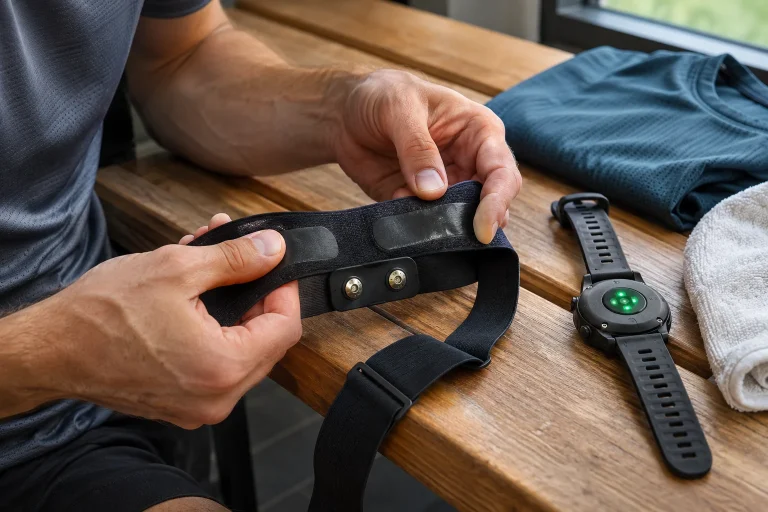
The COROS Heart Rate Monitor may interest runners who want a separate heart-rate sensor without wearing a chest strap. Its upper-arm optical sensor can send heart rate to up to three suitable Bluetooth receivers at once. The same live signal can therefore appear on a supported watch, in an app and on another receiver. This does not turn the strap into a standalone workout recorder or a universal healthcare device connecting to every machine.
This article is based on COROS manufacturer documents available on 21 November 2026, not our own wear or accuracy test. We examine general Bluetooth support, compatibility with a particular receiver and saving the completed workout separately. Upper-arm placement may offer comfort advantages, but these need individual judgement. We do not present advertising claims of chest-strap-equivalent accuracy as independently proven results valid in every situation.
Upper-arm optical measurement: skin contact is part of the technology
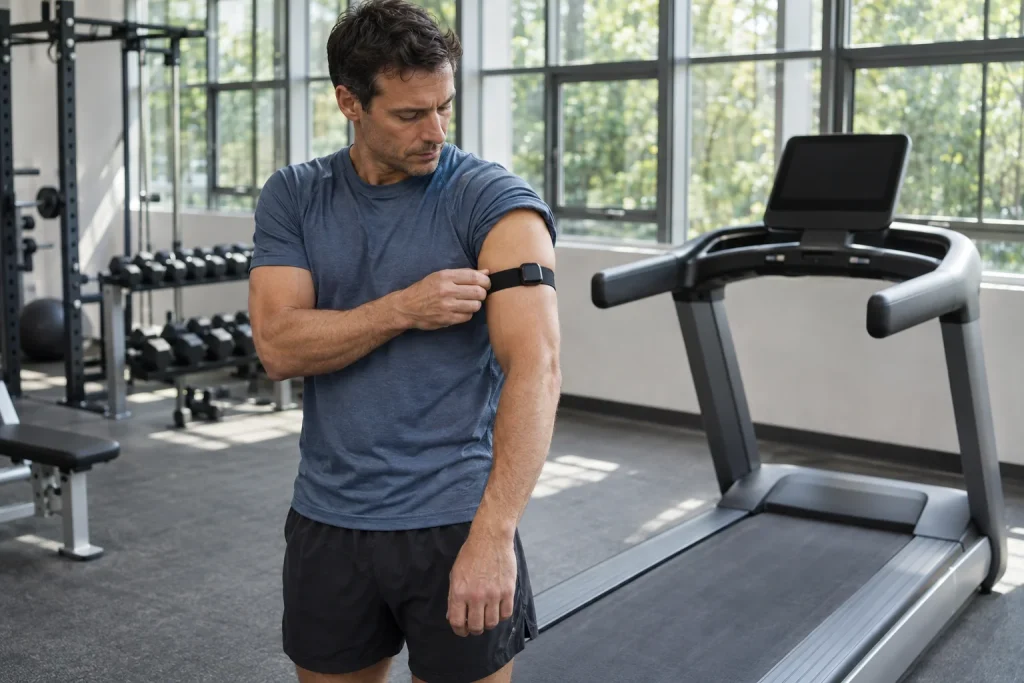
The COROS arm sensor shines light into the skin and tracks pulse-related changes through returning light. It does not use the same principle as a chest strap detecting electrical signals. Different placement and a separate transmitter may benefit a particular runner, but the sensor category alone does not determine your data quality. Wearing, shifting and the specific movement matter too.
The manufacturer describes placement high on the upper arm with stable, comfortable tension and direct skin contact. With a long-sleeved top, put the sensor on the skin first, then the sleeve over it. Fastening the strap outside clothing is not the placement needed for optical measurement. With tattoos, the manufacturer also mentions trying another position or arm; the product name alone cannot guarantee a correct signal.
As your own usage check, see after dressing whether the top has pulled the device out of position. Stable attachment does not mean tightening it uncomfortably. If the strap presses, irritates or interferes with movement, reconsider the fit. Your bodily experience is not secondary information beside a plausible heart-rate curve: the system must be wearable and its operation understandable too.
Three Bluetooth connections, without ANT+
The product supports up to three simultaneous Bluetooth connections but no ANT+. The manufacturer explicitly states this on the support page. An older watch or fitness machine receiving external heart rate only through ANT+ does not become compatible because it can otherwise connect to a phone through Bluetooth. Check the receiver’s own external-heart-rate support, not merely the general presence of wireless connectivity.
Three receivers mean three connection opportunities, not three automatically merged workout logs. A watch may record the run, a gym display show heart rate and a phone app start a separate recording. That can produce three separate outcomes. In your setup, designate which device creates the primary log and the purpose of the other two connections. An extra display does not necessarily need an extra saved activity.
Another pairing problem is not always about battery or strap fit. A previously used phone or app may already occupy a connection. As your own troubleshooting sequence, disconnect unnecessary receivers first, then check operation with one known receiver. This is not a special COROS feature, but simplification of a complex system until the basic data chain is clear again.
Compatibility: your device’s instructions matter alongside lists
The COROS compatibility page discusses other brands’ watches, phone apps and additional receivers too. An important note is that part of the support list comes from community reports of operation and is not exhaustive. It also asks you to check the particular receiver’s own documentation. A brand name listed in an article does not mean support for every past and future watch of that brand with every software version.
Before buying, phrase the question this way: does my exact watch or app receive external heart rate through Bluetooth, and can it save it in the intended sport mode? Bluetooth notifications, calls or music playback do not answer that. The same applies to treadmills: Bluetooth on a console may refer to audio or another connection while it does not receive external heart rate through that path.
If asking a seller or support team, provide the full model name and intended use. “I have a Garmin” or “It’s for a smart treadmill” is too little information. A meaningful answer identifies the specific connection and function. After purchase, check live data and the saved result in your system too, because a connected sensor and a saved heart-rate curve are separate outcomes.
 Enlarge image
The COROS app is not this strap’s running recorder
The manufacturer’s initial setup and phone guides clearly separate roles: pairing with the COROS app is needed for firmware management; the strap does not send heart rate directly to that app for full workout recording. Use without a watch requires another suitable recording app. Seeing the sensor in an account’s accessory list therefore does not prove a saved running activity has started.
The manufacturer’s phone-recording example uses Strava with suitable permissions. After waking the strap, connect the heart-rate monitor in the app’s sensor menu, then start recording separately. This is the app’s own feature and workflow. If choosing another app, check its current support too; do not assume an old listing remains unchanged for every future version.
An original checking example: after a brief, usual trial, find not only the live number but the saved time period and heart-rate curve. If you want a map, also check route-recording conditions on the phone. The optical armband itself is not a GPS receiver and does not store a complete run for later retrieval. If the recording phone or watch is absent and not receiving data, later pairing does not automatically fill the gap.
Automatic wake-up is convenient, but is not workout start
The COROS Heart Rate Monitor uses wear detection: putting it on activates it, and after removal you do not need the same button routine as with other manufacturers’ straps. This may simplify connecting to an already paired receiver. Waking the heart-rate monitor is not the same as starting a workout on the watch, however. The activity’s own Start operation still occurs on the designated recorder.
Wait for the appropriate connection indicator on the pre-start screen. If the receiver still uses its wrist sensor, you may see plausible heart rate despite the external strap not connecting. Learn your watch’s current indications and handling of sources. Heart rate appearing, identifying the source and saving the recording are three separate checks that together provide a more reliable view of operation.
With a COROS account used across several watches, the strap may appear in multiple accessory lists. As your own organisational choice, keep an unused receiver away or disconnect it according to manufacturer instructions. This leaves fewer uncertainties to handle at the start. The aim is not deleting every saved pairing but getting the right signal to the receiver needed for that session.
An upper-arm strap beside a treadmill: measurement and machine control differ
A compatible treadmill or other fitness machine may receive live heart rate from the armband, but this needs confirmation for the exact machine. The COROS list does not promise support for every treadmill labelled Bluetooth. Even successful heart-rate reception does not automatically imply NFC login, downloading earlier workouts or controlling belt speed. These are additional gym and machine features to check separately.
A multiple-receiver system could, for example, use a watch as recorder, a phone as the synchronisation route to the training log and a machine display for live feedback. In this example, the phone is not necessarily a direct second heart-rate receiver, so do not count connections from the number of devices present. Write down which connects to which. Even a simple paper data-flow drawing can help locate missing information.
Fit and pair the strap beside a stationary treadmill belt. This is a practical consideration: setup takes attention away from movement. Trying a new system does not need to coincide with a hard workout. Establish live reception and a saved recording first, then use the equipment as usual. Technical checking is a separate task, not a reason to increase exertion.
Charging: do not turn rated battery life into your own test result
The manufacturer specifies up to 38 hours of active use and 80 days of standby. These are different operating states, not promises to add together. We report 38 hours as the manufacturer’s rated value, not something verified here through our own runs. Follow actual status using battery level in the app or a suitable watch and the device’s indicators.
Connect the charging cable to the sensor’s back; charging and full-charge indications differ. A brief green indication after removing it from the charger does not necessarily mean one hundred per cent: the manufacturer also describes another status meaning for it. Similar colours in different situations can convey different information. Use the percentage and your model’s own guide, not remembered flashes from another device.
An original purely arithmetic example: four uses per week of 45 minutes total three active hours. This is not a recommended training amount or proof of exactly how many weeks can pass before charging. Standby, battery condition and real use mean dividing the rated hours is not an exact charging calendar. Instead, have a consistent check before an important run.
 Enlarge image
Cleaning: handling the removable fabric and optical unit
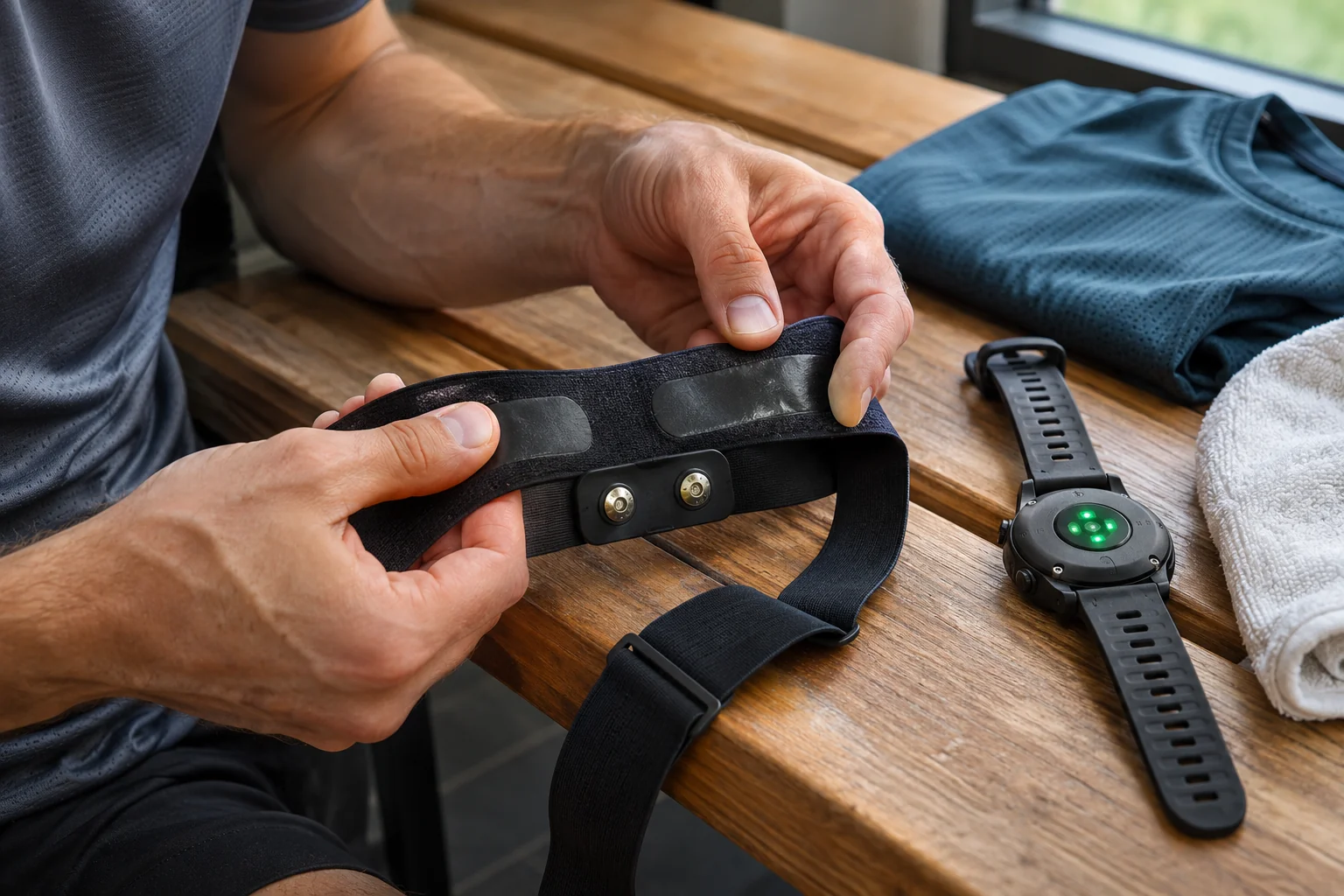
The daily care guide describes gently rinsing sensor and strap with lukewarm water, then fully air-drying them. Remove the optical unit before more thorough strap washing. The fabric can be cleaned by hand or on a gentle machine cycle according to its instructions; the electronics do not go in the washing machine. Avoid harsh chemicals, fabric softener and bleach.
When reassembling the strap, follow current manufacturer diagrams so the hook-and-loop fastening and holder face correctly. Clean fabric cannot provide good attachment if threaded incorrectly or unable to fasten securely. An original practical idea is a separate drying place for components so they do not mix with laundry awaiting washing. Before the next use, check attachment as well as sensor charge.
Do not dismiss a skin reaction as a general “adjustment period”. Review comfort, cleanliness and size, and seek appropriate help for persistent or recurrent symptoms. Clothing and sensor contact is individual. Another runner’s success with a device does not mean ignoring your own skin’s signals. Regular care also needs to fit your routine for equipment to work well.
Troubleshooting: wake-up, receiver, contact and power
If the strap cannot be found, first check active optical indication and wear detection, then the receiving app’s permissions and receivers already connected. If it connects but data is suspect, inspect attachment, movement and circumstances next. This is an editorial troubleshooting sequence, not an algorithm that reliably identifies the cause of a heart-rate difference. Change one factor at a time so you can see what resolved the problem.
A factory reset involves a separate charging-connection sequence described on the support page. You do not need to reset after every strange number or look for another manufacturer’s button presses on this device. If usual checks do not help, the exact receiver, app version, firmware and description of the phenomenon help support. A documented problem is more useful than one screenshot without context.
The eventual goal is a known data chain: a correctly worn strap, supported Bluetooth receiver and saved heart-rate curve. Upper-arm optics are not a clinical ECG or automatic interpretation of illness. If symptoms occur, adjusting sensor placement does not replace healthcare discussion. The COROS Heart Rate Monitor can be a useful accessory when comfortable wearing and working recording come together in your own system.
Sources and verification
- COROS Heart Rate Monitor: hardware, charging and rated battery life
- COROS: three Bluetooth receivers, ANT+ and recording limitations
- COROS: optical measurement and wearing
- COROS: compatibility and interpreting the list
- COROS: wake-up, initial setup and the COROS app’s role
- COROS: recording in a phone sports app
- COROS: daily and thorough cleaning
- COROS: troubleshooting and reset
- COROS: watch accessory connections and data source
How Futószív articles are prepared: our editorial guidelines.