Two runners start in the same place, run together and finish the loop together, yet different times and average paces appear in their logs. There is no need to look immediately for measurement error: they may be viewing different concepts of time. Moving time attempts to describe how long you were moving, while total elapsed time covers the whole interval between start and finish. The activity timer can also play a separate role between them. Understanding these is not a minor technical detail, but a foundation for interpreting a run. This article uses simple examples to show when each time is useful and how to develop consistent logging habits.
Distinguish three types of time
You can compare total elapsed time to an external wall clock: it advances continuously between the recording’s start and end. The activity timer may stop when you pause manually or automatically. Moving time contains only the parts treated as movement under the service’s definition. The Garmin information explaining time fields describes this distinction explicitly too. Translations and abbreviations of field names may differ. Find the full name on the watch and in the app rather than looking only at the word “time”.
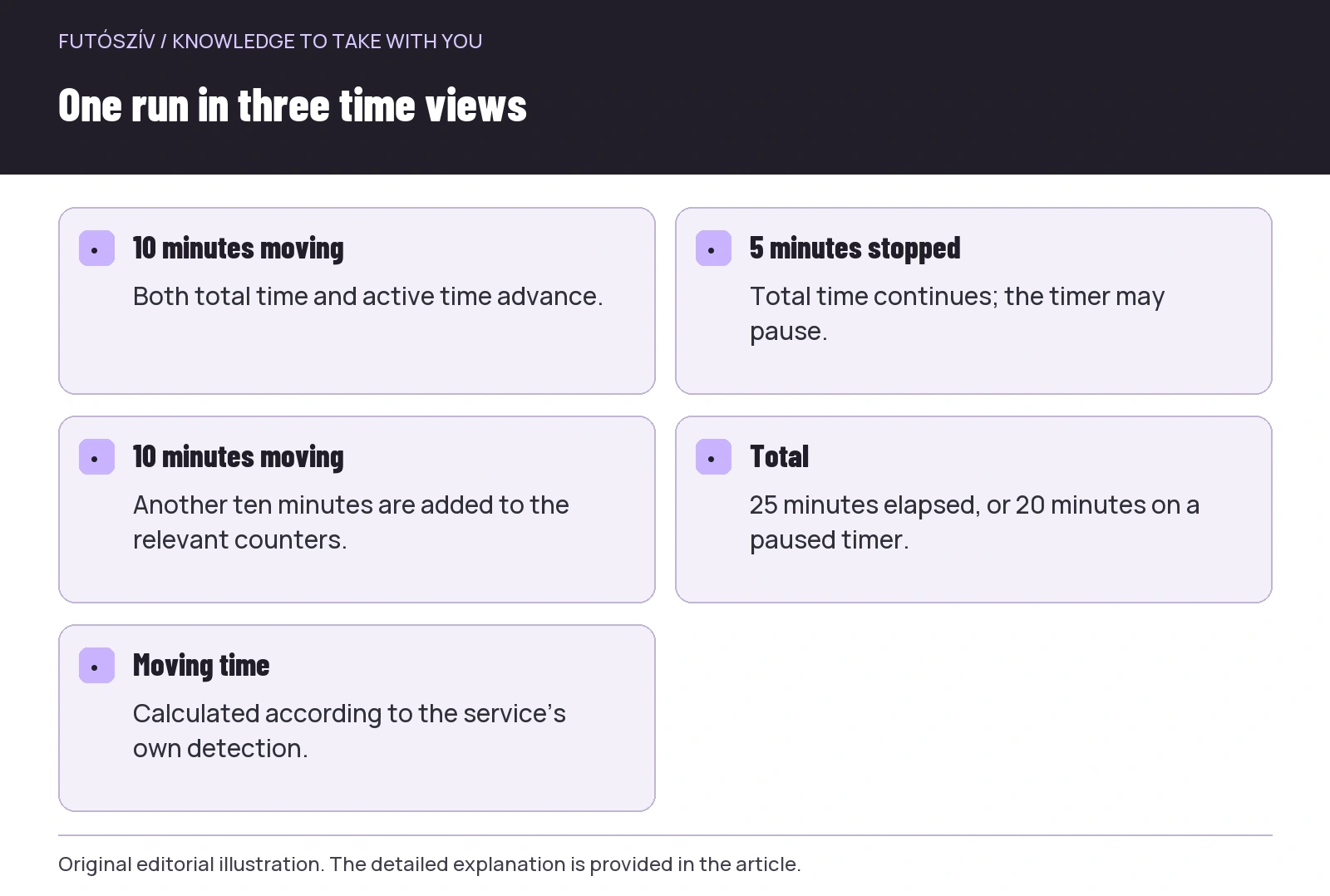
In an illustrative run, there are ten minutes of movement, five minutes stopped, then another ten moving. Total elapsed time is twenty-five minutes. If you stopped the activity timer during the stop, it may show twenty minutes; if not, it also shows twenty-five. A moving-time system may separate the stop under its own rules. This simple example shows that three different numbers can all match their respective definitions. The question is not which is generally right, but what each describes.
Detecting movement is a computational decision
A photo stop is obvious to a person, but a device works from sensor data and rules. Thresholds, delays and the source used to identify movement can differ. The Strava guide to moving time and pace separately discusses its own calculations and the role of recorded pauses too. A service does not necessarily use the same method as the watch. Even with an unchanged recording, the time emphasised on the two interfaces can therefore differ.
Slow walking, small movements at a technical junction and standing completely still do not always separate equally clearly in the recorded series. Positioning uncertainty can also affect what the system sees. Do not infer that all moving-time values are useless. Instead, understand what comparisons yours can support in your service. Your account of a run minute by minute and algorithmically summarised moving time come from different sources. A good log does not force them into one unexplained number.
The numerator and denominator of pace
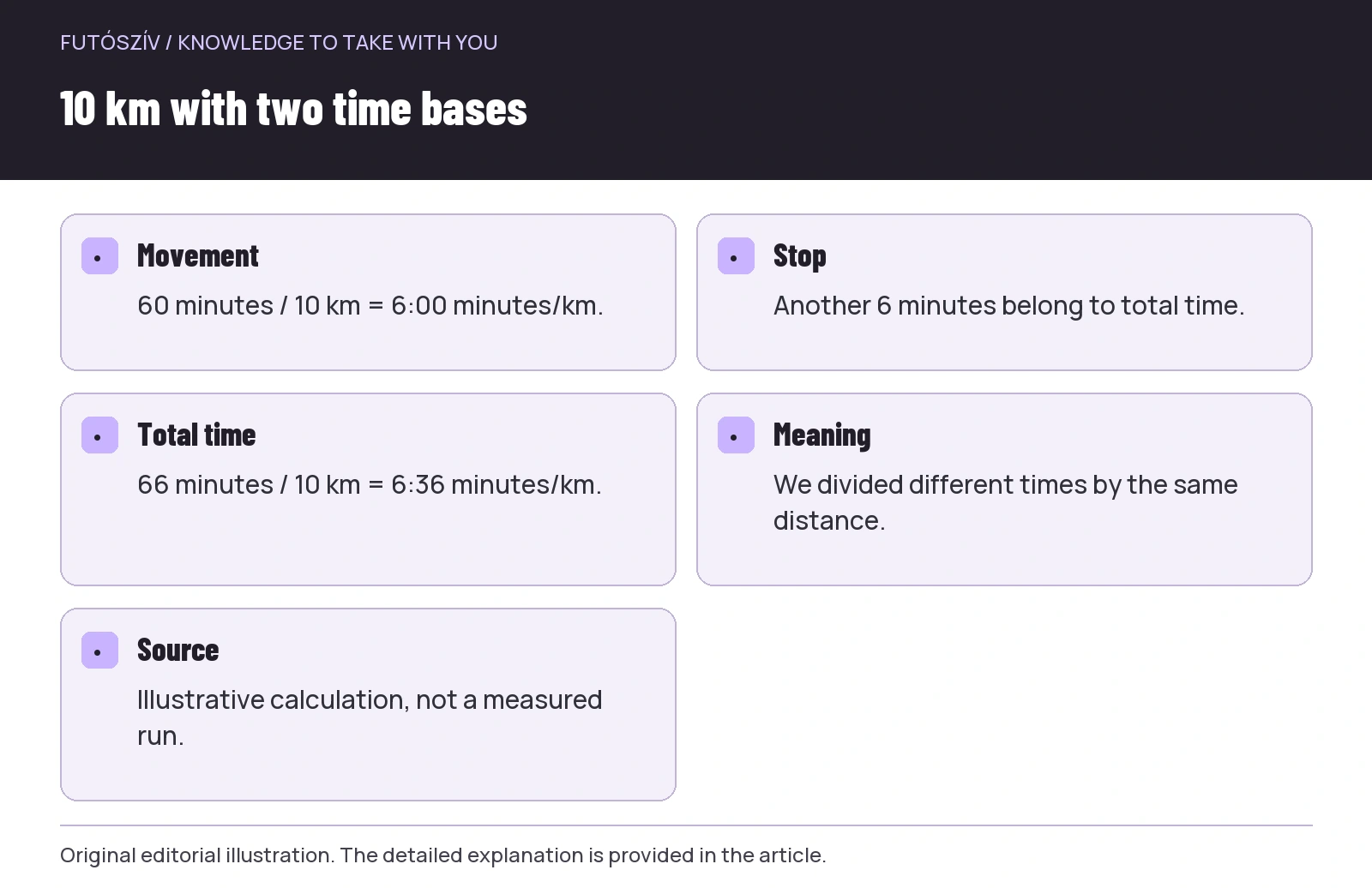
Average pace is time divided by distance when expressed in minutes per kilometre. Assigning a different time to the same distance gives a different pace. A theoretical ten-kilometre run with sixty minutes moving and six minutes stopped gives a movement-based average of six minutes/km. Using all sixty-six minutes produces six minutes thirty-six seconds/km. This is neither a hidden performance difference nor two rounded versions of the same average: we divided different times by the same ten kilometres. Always name the calculation basis when discussing an average.
The size of the discrepancy depends on the proportion spent stopped. Several long waits at traffic lights on a short city loop may alter the full-time average more than the same total stopping time on a long run. Removing stops does not make every other circumstance of the runs identical. The location and length of rests remain part of the event’s story even when absent from a moving-time average. Pace is therefore a useful summary, but not a complete description. Choose the appropriate time and context for the question.
 Enlarge diagram
Text version of the illustration
- 10 minutes moving
- Both total time and active time advance.
- 5 minutes stopped
- Total time continues; the timer may pause.
- 10 minutes moving
- Another ten minutes are added to the relevant counters.
- Total
- 25 minutes elapsed, or 20 minutes on a paused timer.
- Moving time
- Calculated according to the service’s own detection.
Set auto pause deliberately
Auto pause can be convenient, but know which profile enables it and under which conditions. The Polar M430 sport-profile description separately shows the feature and its activation-speed setting in its own system, for example. Other models offer different options. A button name does not reveal at which small slowdowns, with which delay and from which source recording pauses. Find the exact operation in your watch manual and examine the result in a short trial.
Check not just whether the counter stops, but how it resumes. If recording starts late after you set off again, part of the activity may be affected. Extensive slow progress on technical terrain may lead you to evaluate the feature differently from flat city running. The aim is known behaviour rather than prescribing the same setting for everyone. When comparing two months of logs, it helps to know whether you enabled auto pause between them. Such a setting change can appear in statistics without a corresponding change in training.
Manual pause: keep the habit consistent
If pausing the timer manually, decide beforehand which stops warrant it. You do not need race regulations around every everyday run, but applying the same logic aids comparison. Stopping the timer at every light one day and leaving it running another can produce different averages. Forgetting is also part of practice: if you did not press resume after setting off again, the missing section becomes a data-quality question. Flag it in the note rather than trying to recreate the recording second by second from memory.
Pressing a button while running must not take priority over safety. At a busy crossing, watch the surroundings and operate the watch only after stopping safely if necessary. A missed pause mark is less serious than inattentive travel. If the controls are awkward, another solution or simpler logging habit may suit the run. The aim is understandable data, not a perfectly edited live average. A short contextual note afterwards can clarify differences not worth managing individually on the move.
| Question | Look first at | What does it tell you? | What else is needed? |
|---|---|---|---|
| How long was I out altogether? | Total elapsed time | The whole interval between start and finish | The meaning of the starting and ending moments |
| How long was the timer running? | Activity time / Timer | Recording time not paused | Knowledge of manual and automatic pauses |
| How much movement did the system count? | Moving time | Time the service classifies as movement | The method’s limitations |
| What was the average for the whole outing? | Total time and appropriate distance | The time/distance ratio including stops | Route, conditions and task |
| How was the running section? | Data for the selected section | A summary of that part | Where did it occur within the whole run? |
In a race, stops are part of the story too
When completing a race, your own moving-time average is not the official result. The event uses its own timing and results system; interpret net and gross time from its information. An aid-station break still happened even if paused on your watch. If the aim is understanding the full, continuous completion time for a route, examine total elapsed time too. The cited Strava guide also describes separate handling of runs marked as races. Your log settings do not replace the event’s official result.
This does not make moving time uninteresting after a race. It can offer another view when named correctly: for example, how much time the system classified as movement. Aid-station time, crowds, a technical stop or another event may separately explain a discrepancy. When preparing for the next event, total time and sections answer different questions. Choose numbers according to your analytical aim, rather than to put a more favourable average first. A sound comparison keeps both time concepts in their proper place.
Two planning questions on a long trail run
If planning when you will return to a car or accommodation, moving time alone may be insufficient. Stops, navigation and other interruptions all belong to total elapsed time. A previous run’s full duration can therefore be a more informative starting point for organising the day than a movement-only average. The next route’s conditions may still differ; one previous number is not a guaranteed arrival promise. Examine the whole story, including route, company and planned stops.
If comparing progress on a particular climb or running section, however, the whole day’s full average may not answer the question. Select a meaningful section and know which time belongs to it. Do not treat an outing interrupted by long stops as identical to continuous training merely because the kilometres match. The difference is not a judgement: two different tasks and experiences can both be valuable. Data helps name precisely what you mean, rather than force every run into one ranking.
 Enlarge diagram
Text version of the illustration
- Movement
- 60 minutes / 10 km = 6:00 minutes/km.
- Stop
- Another 6 minutes belong to total time.
- Total time
- 66 minutes / 10 km = 6:36 minutes/km.
- Meaning
- We divided different times by the same distance.
- Source
- Illustrative calculation, not a measured run.
Check time fields after switching platforms too
When changing watch or log, the main screen may emphasise a different time. You may previously have viewed activity time, while the card now shows moving time. For initial imports, therefore check detailed fields, the role of pauses and the average-pace calculation basis. A changed displayed average is not necessarily new fitness or a data error. Clarify the definition first. Cards of the same colour on old and new screens can conceal different processing, particularly if an external service intervenes.
Timestamps, pause events and summary time in an exported file may appear differently in the receiving system. Learn from the service’s official documentation what it respects and what it recalculates. Do not manually adjust every old workout to a new interface’s main figure. Instead, mark the date of the system or setting change and use fields with matching meanings for comparison. Consistent definitions help reviewing across years more than apparently uniform edited numbers built on different foundations.
A short personal trial clarifies the display
In familiar, easy surroundings, observe what your watch does during a short deliberate stop. If the manufacturer and situation allow, observe the timer with manual pause, then your usual automation on another occasion. Do not mix the trial into an important performance test. Afterwards, find total elapsed time, activity time and moving time for the same entry if the system offers all three. Note which the watch displays live and which the uploaded log emphasises.
You need not analyse this trio anew on every run. Establishing a known baseline and checking after changes is enough. Your own note can be brief: “auto pause on, several traffic-light waits” or “followed total time, including aid-station stops”. When sharing a pace, name the time basis if the difference matters. The account becomes clearer and the other runner knows which data they are comparing. Knowing time concepts can remove many unnecessary misunderstandings in everyday running conversations too.
How to choose time for analysis
Ask the question first, then select its field. Total time outside may be relevant to your schedule, activity time to recording behaviour, and moving time calculated under its definition to movement-based comparisons. A detailed section analysis may require separate section data. No single field tells the whole story in every situation. Treat two differing values as information: something happened with stops, recording or processing that is worth naming. You need not immediately correct the difference.
In a consistent log, the meaning of time data connects with the run’s task. You know which number you see, how stops were handled and what comparison you expect. An apparently faster average then does not invite hasty conclusions, and a longer total time is not automatically judged a worse run. Moving time and total elapsed time alongside one another help you understand the day better. One focuses on movement, the other reveals the full time frame, and the gap between them often contains the run’s most important circumstances.
Sources and further reading
- Garmin – definitions of time, pace and speed fields
- Strava – Moving Time, Speed, and Pace Calculations
- Polar M430 – sport profiles and auto pause
How Futószív articles are prepared: our editorial guidelines.