An odd spike on a graph can easily distract from the entire run. The display claims you suddenly ran at an unrealistic pace, part of the heart-rate curve disappears, or the map places you across the road. A good training log is valuable here not because every curve looks attractive, but because data quality and the accompanying note remain traceable. Flagging a suspected fault, preserving the original recording and correcting it are three separate tasks. This article builds a workflow that lets you understand later what happened, what you know for certain and which part remains uncertain.
Observe before judging
First describe what you actually see. For example: “a twenty-second data gap around the twelfth minute”, “the map connects a straight line after the bridge” or “current pace briefly spikes”. These statements are more verifiable than saying the whole watch is bad or the entire run worthless. An unusual value is not always a proven measurement error; the cause needs separate clarification. You can label it “suspicious data” in the log until there is a well-founded explanation. Naming uncertainty precisely improves your record rather than weakening it.
Separate technical interpretation from how you felt. Record both with their own meanings: what the device showed and how you experienced the run. Feeling good or bad does not by itself validate or disprove every sensor point. Editing a heart-rate graph in a log cannot establish a health condition. If you have genuine recurring symptoms, clarify them with an appropriate professional rather than by creating a smoother graph. This guide concerns documenting and technically handling the recording.
Find the affected data channel
Pace data may appear faulty while time and heart-rate recordings remain usable. Alternatively, the entire activity may have the wrong sport type, or the drive home may remain at the end. These are different problems. Do not delete the whole run because one channel is questionable. Examine route, timeline, laps and available sensor data side by side. The Polar analysis guide describes reviewing separate sections and controlling displayed curves, for example. Learn your own platform’s analysis options before making changes.
Do not confuse missing data with a display simply not showing a point at that zoom level. Graph smoothing, the selected period or a hidden curve can change the appearance too. Zoom into the questionable section, check the axes and selected channel. If the recording appears in several services, compare that specific period. Different graphics do not necessarily mean different raw data. The first investigation goal is to clarify what you actually see and at which level the question arose.
Write a three-part quality note
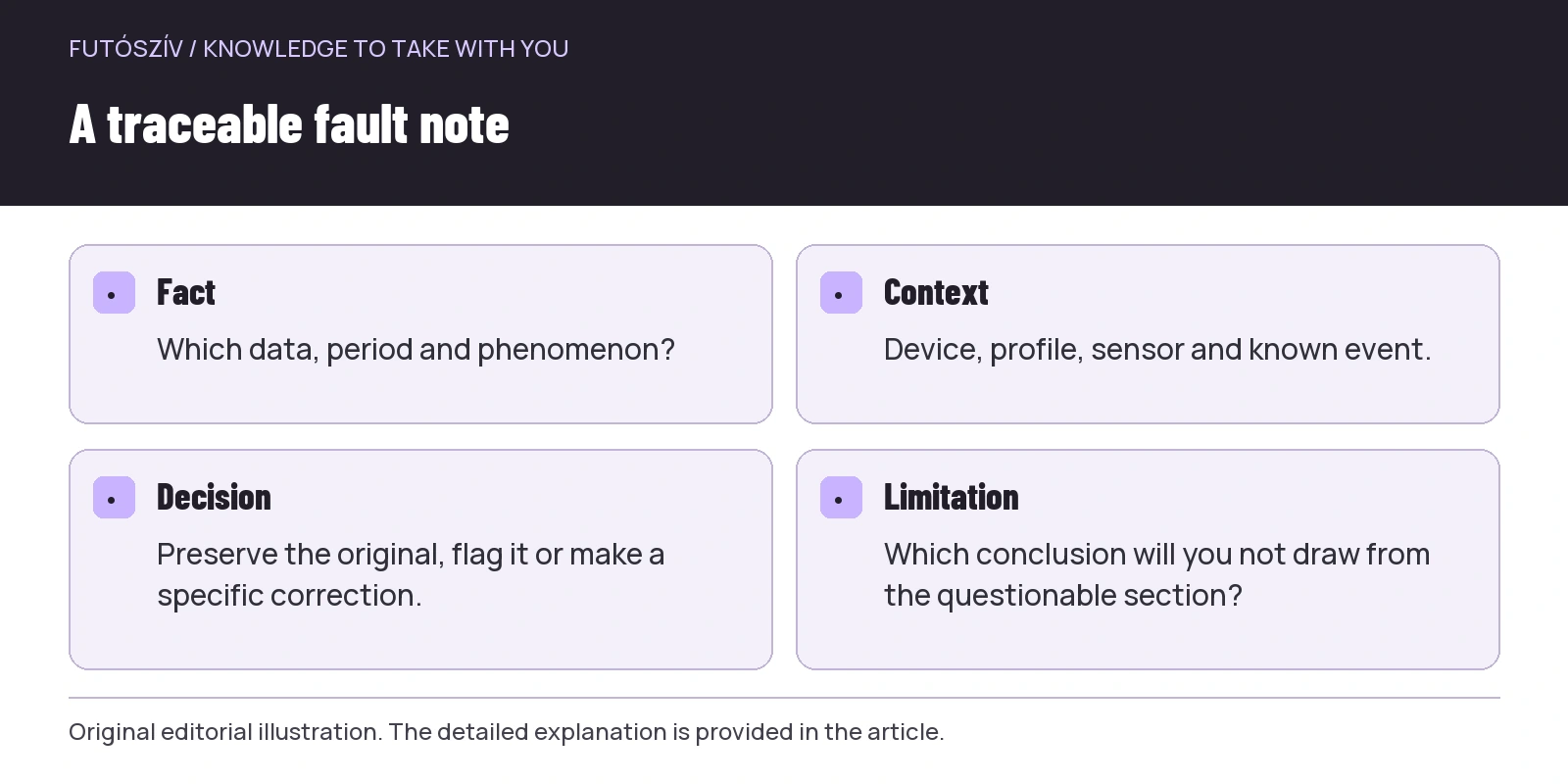
The first part of a useful technical log entry is the fact: which data, period and phenomenon. The second is context: device, sensor, profile and an event noticed during the run. The third is the decision: you kept it unchanged, flagged an uncertain section or performed a specific supported correction. You need not write a long fault report for every workout. A few precise lines are worth more than a “GPS was rubbish” note that becomes unintelligible months later. Make the record understandable even when you no longer remember the day’s details.
An illustrative sentence: “Data quality: the route in minutes 18–20 is questionable; the recording shows a straight connection here. Context: forest section, outdoor running profile; I have no independent measurement recording of the actual route. Decision: the original is retained; I will not assess a peak pace from this section.” This is a fill-in example, not a real test result. Uncertainty remains in the wording rather than becoming invented precision. If new information arrives later, add a dated update to the decision while retaining the original observation.
 Enlarge diagram
Text version of the illustration
- Fact
- Which data, period and phenomenon?
- Context
- Device, profile, sensor and known event.
- Decision
- Preserve the original, flag it or make a specific correction.
- Limitation
- Which conclusion will you not draw from the questionable section?
Keep the original recording retrievable
Before editing, check the platform’s export options and retain the necessary original file. Separate the working copy from the archive. If taking a screenshot, include the time axis and questionable section, but do not accidentally share your complete personal route publicly. An export may contain sensitive location and sensor data. A filename with the date, short type and “original” label is enough if traceable in your own system. Do not add passwords or personal access details.
Preserving the original does not mean building a separate IT archive for every run. The point is having a verifiable starting point before an irreversible change. A service’s edit-undo feature and an actual exported copy are not the same protection. Read what restoration covers. If the platform automatically forwards workouts elsewhere, later corrections may not propagate like the initial upload. Before changing anything, be able to identify this part of the data connections too.
| Phenomenon | Subject of a useful note | Instead of a hasty step |
|---|---|---|
| Brief pace spike | Exact period and data source | Do not establish a new training goal from it |
| Missing heart-rate section | Gap duration, sensor and connection | Do not draw in invented values |
| GPS connection line | The line and uncertain section | Do not label the missing route precise |
| Driving at the end of the recording | Where did the actual run finish? | Save the original before supported cropping |
| Wrong sport type | Actual movement and incorrect label | Correct the sport type rather than guessing distance |
| Different platform figure | Difference in source and processing | Clarify the data journey first |
A note, exclusion and correction are different
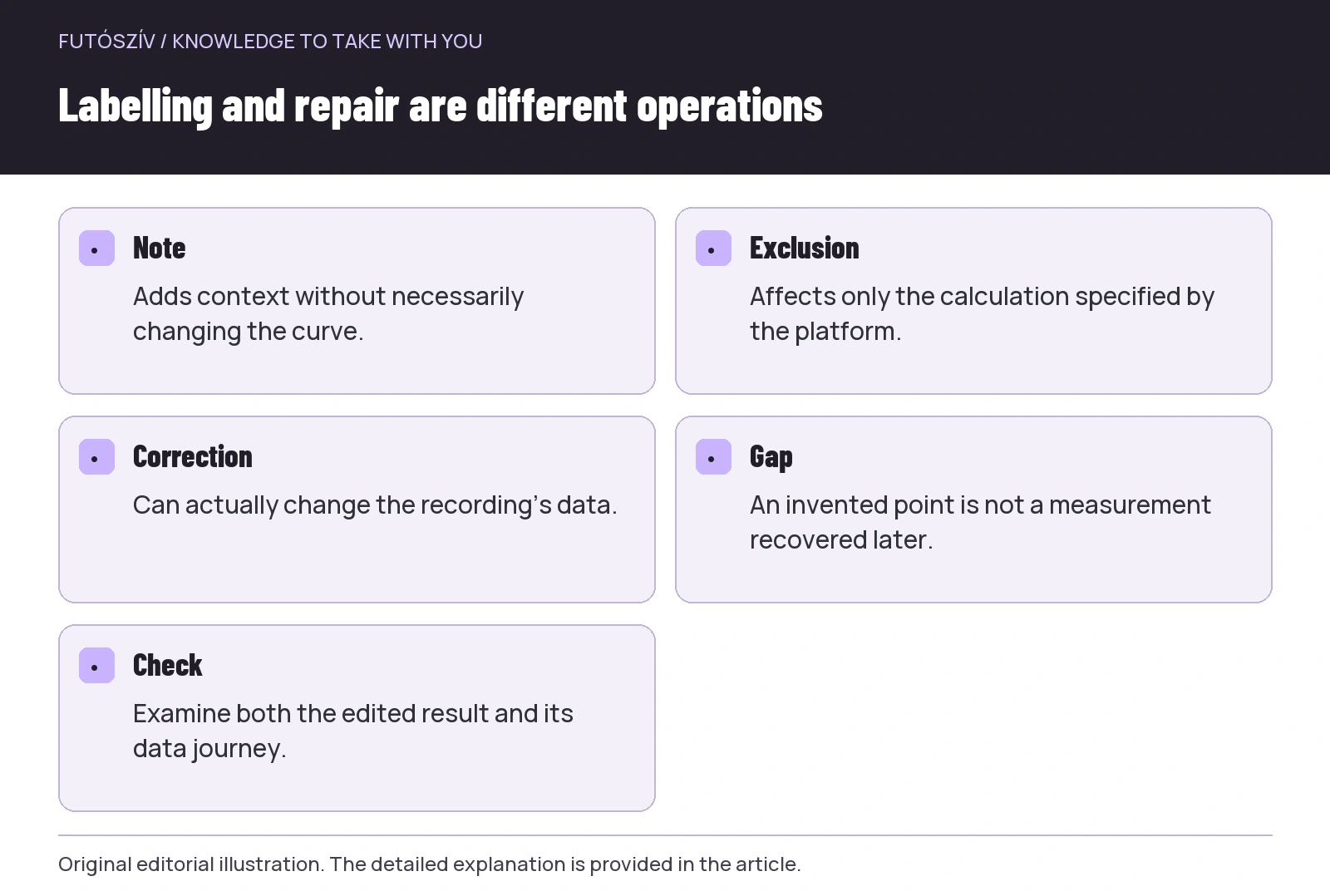
A note adds context alongside data but does not necessarily change the curve. A platform’s exclusion or ignore option may omit data from certain calculations, but its precise scope depends on the service. Correction can actually alter the recording. Before clicking a button, read what it affects: total distance, one channel, a segment or the whole workout. A “private” setting, for example, is a visibility decision, not automatically a data-quality exclusion. Similar wording should not replace understanding the function.
If your log has no separate data-quality label, use a consistent textual prefix in the note, such as “Data quality – questionable section”. Check who can access this wording, because personal and community notes may have different visibility. A professional note for a coach need not belong in the same place as a public run title. The TrainingPeaks getting-started guide also describes post-workout comments. Check sharing and notification conditions in the actual interface.
Cropping: removing a genuinely unnecessary part
If recording includes non-running sections before or after the run, the platform’s supported cropping tool may be suitable. The Strava information on bad GPS data also discusses cropping an affected part at the start or end. Inspect the selected boundary carefully, particularly alongside lap times and the sequence of events. Cutting out a drive left recording after the run serves a different purpose from removing a genuinely run but poorly recorded section. Label the reason for the edit in the log.
After cropping, check the saved result: is the intended period retained, and what happened to the summary and section list? Look beyond the map because time and other channels may be affected too. If a service calculates further performance or workload measures, read how it handles later cropping; do not assume immediate full recalculation everywhere. Checking the outcome belongs to the workflow, not just approving the edit. The original file and a clear note will still explain later why the edited recording is shorter.
Repairing a graph is not a new measurement
Some analysis systems create a replacement line in place of an outlying section. The description of the TrainingPeaks Fix function shows a straight replacement between the edges of a selected section, for example, subject to that feature’s access conditions. This is processing, not a true sensor measurement recovered afterwards. The documentation also explains that the function does not restore missing data in this way. If using it, record the modification and selected channel in your note.
Do not smooth a section whose real cause you do not understand simply to make the curve prettier. An unexpected change may reflect operation, a data connection or an actual event. Have a specific reason and known method for a technical correction. Removing a spike may alter averages and derived values too; that does not automatically prove the new value precisely reconstructs actual performance. The accurate statement is that you modified the series in a named way and understand its limits of use.
 Enlarge diagram
Text version of the illustration
- Note
- Adds context without necessarily changing the curve.
- Exclusion
- Affects only the calculation specified by the platform.
- Correction
- Can actually change the recording’s data.
- Gap
- An invented point is not a measurement recovered later.
- Check
- Examine both the edited result and its data journey.
Do not manufacture a detailed story from a missing section
If the device did not record part of the route, a straight line on the map does not fully describe the actual trail. Strava’s information also notes that missing GPS data cannot simply be filled in afterwards as real measurements. You may know the approximate route length without knowing your exact position and pace every second. If making a manual entry or recording total distance from another source, label that source and whether it is an estimate or chosen reference. Decimal places in a field should not imply accuracy.
Another runner’s recording is not automatically a substitute for your sensor data either. Even running together, exact lines, starts and stops can differ, while heart rate and other individual data are inherently non-interchangeable. Comparing routes for orientation serves a different purpose from importing personal performance data. Your log should make clear what you know directly and what comes from another source. Sometimes honestly marking a gap best preserves data quality, rather than producing an impressive complete graph.
Think through later summaries too
A brief faulty peak may affect a best value or another automatic summary, although the effect depends on the service. Do not establish a new zone or goal solely from an unexplained record notification. If the platform shows best sections separately, examine the underlying recording. A data-quality note helps prevent you treating something as certain performance months later when you already questioned it that day. A log is more than a collection: it informs later decisions, so flagging uncertain data adds real information value.
For comparison, choose sections genuinely comparable. If the first ten minutes are questionable, a well-recorded later section can still carry useful information in the right context. Do not treat the whole session as one quality stamp. Equally, do not combine pace reconstructed from feeling with watch-recorded data in one unlabelled series. The aim is traceability between data types: recorded, manually entered, edited or uncertain. Distinguish them using the options in your system.
A short closing note for next time
After the correction, define one specific preventive check. It might be waiting for the positioning system’s starting status, checking the correct sensor’s connection, arranging wear according to instructions or checking the phone’s background-recording settings. Do not change everything at once, or the next result will be hard to interpret. On the next similar run, briefly observe the same channel. A one-off fault and a recurring, clearly described phenomenon raise different support questions; traceable notes help with both.
A completed data-quality entry should reveal five things: what happened, when and in which channel, which device recorded it, what you changed and what you will not use the affected section for. While retaining the original and noting the technical decision, preserve the human part of the workout too: what you actually ran and what the task was. The log then remains both usable and honest. You do not need to cosmetically perfect every recording for it to have value; a clearly named limitation often teaches more than an unexplained smooth curve.
Sources and further reading
- Polar – Renewed Training Session Analysis
- TrainingPeaks – Ultimate Get Started Guide
- Strava – Bad GPS Data
- TrainingPeaks – How to Fix Your Workout Data
How Futószív articles are prepared: our editorial guidelines.