A running watch’s pace field can change quickly while you feel you are moving evenly. One moment the number looks faster, then slower after a bend or a row of buildings. If you react immediately to every display change, the screen itself can begin directing the run. Understanding splits helps connect data to the appropriate period and distance.
The aim is not to abandon the device, but to understand which question each field answers. Instantaneous pace, lap average, overall average and the time between two markers are different data. None alone describes the complete situation. Your established programme, the environment and properly interpreted measurements together can provide useful feedback.
Do not give four different numbers the same name
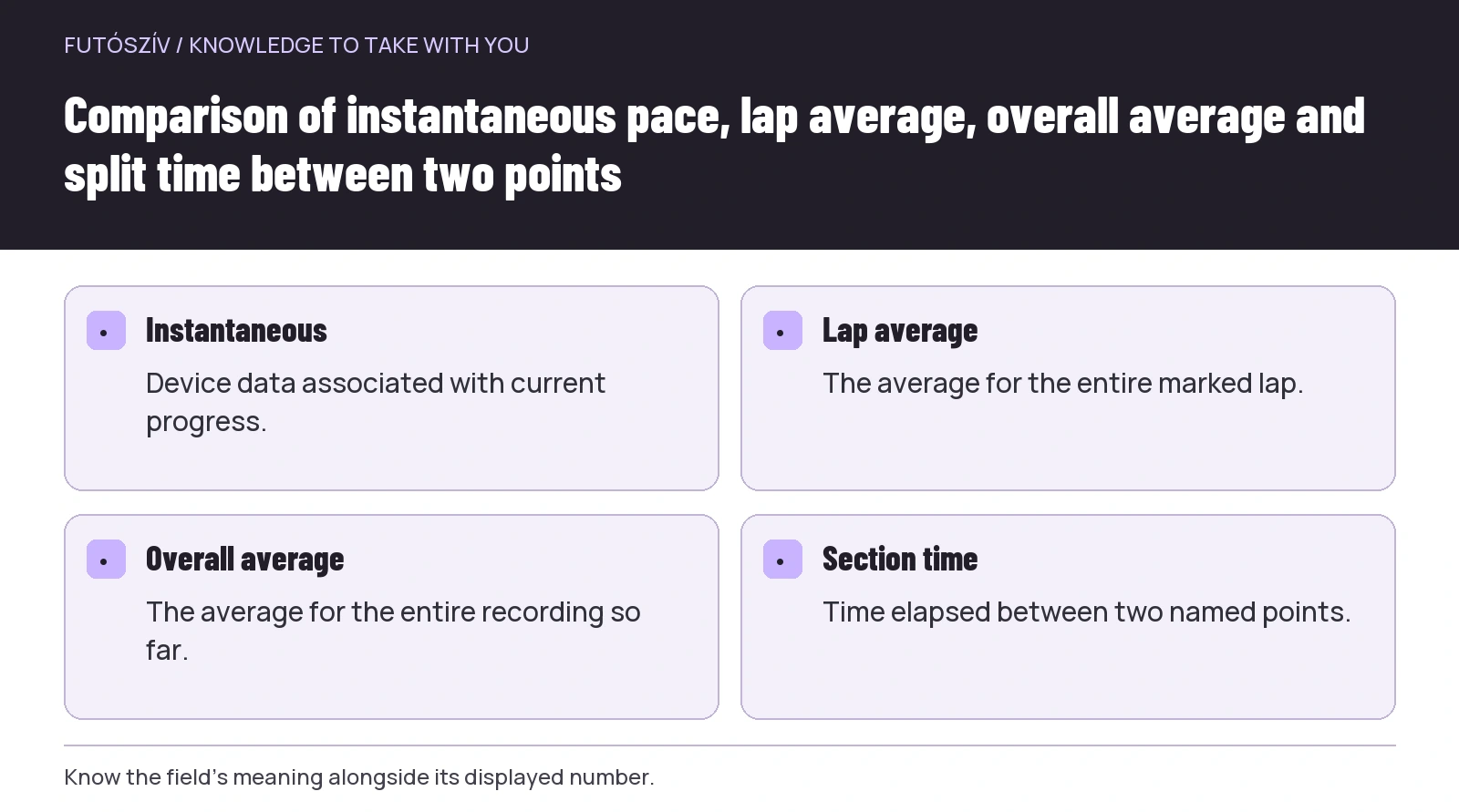
Instantaneous pace is device data about your current progress. Lap average summarises the whole manually marked or automatically created lap. Overall average concerns the recording so far. A split can mean cumulative time to a specified point or the time for a section between two points. Always check the displayed field’s name on your own device.
The official Garmin Forerunner 265 data-field description separately defines current, overall-average and lap-pace fields, for example. This documents a specific device family. Names or operation may differ on another device, so match the concept to your own guide.
If you do not know which number you see, identifying it comes first. At home, review your configured screen and write down the field’s name. A 6:20 appearing during a run provides little information alone. It may support a different decision if it is the entire recording’s average, rather than describing only the current brief situation.
Name both ends of a split
At a race, the time seen at the 10-kilometre point may be cumulative time from the start. The time for the tenth kilometre, however, means the section between kilometres nine and ten. These are easy to confuse. State in your own notes whether you mean cumulative time or a specific section.
Likewise, a device’s automatic lap and a course kilometre marker do not necessarily occur at the same moment. If you press lap using one while the other remains automatic, unusually short sections may appear in the recording. Learn your own settings before use and interpret the data accordingly.
With manual lap marking, the moment you press the button is part of the measurement too. If you forget one point, the next section may be longer. That does not imply a sudden change in running performance. First establish which section you actually recorded. Naming the two endpoints precisely resolves many apparent errors.
 Enlarge diagram
Text version of the illustration
- Instantaneous
- Device data associated with current progress.
- Lap average
- The average for the entire marked lap.
- Overall average
- The average for the entire recording so far.
- Section time
- Time elapsed between two named points.
A simple numerical example of cumulative and section times
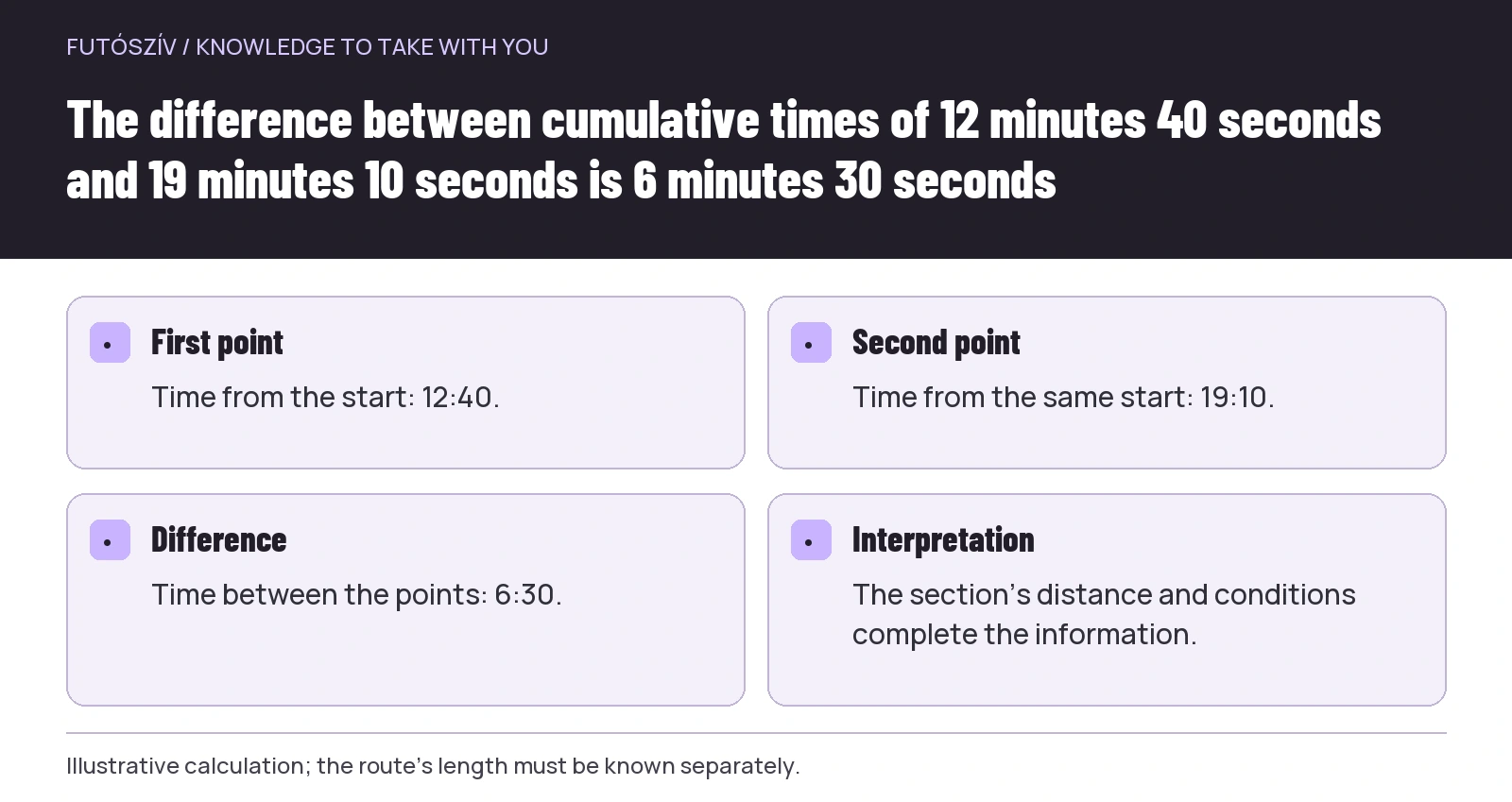
Imagine a recording where you reach one marked point at 12:40 from the start, then the next at 19:10. The time between the two points is 6:30. If the points are one kilometre apart under the example’s conditions, the section averages 6:30 minutes/km. The 19:10 is not the last kilometre’s pace, but cumulative time to that point.
| Marker | Recorded cumulative time | Time since previous point |
|---|---|---|
| First observed point | 6:15 | 6:15 from the example’s beginning |
| Next point | 12:40 | 6:25 |
| Third point | 19:10 | 6:30 |
| Fourth point | 25:50 | 6:40 |
The table is an illustrative calculation, not a recommended pace or real race data. It shows that the difference between successive cumulative times gives section time. The actual route length and meaning of the points must be known separately. The calculation answers only for data genuinely assigned to the same measurement.
Measured track and course distance are separate questions
Official road-race course measurement and your GPS recording use different methods. The AIMS page on course measurement describes calibrated-bicycle measurement in its system. Your device’s mapped track therefore does not replace a certified course-measurement process. A different personal distance reading does not by itself prove a course error.
GPS signal conditions can affect recording. Garmin’s accuracy information mentions tall buildings and dense vegetation among such factors. This alone cannot establish a particular discrepancy’s cause with certainty, however. Interpret the recording and location together.
Your own line of progress may also differ from other runners’ lines on parts of the course. Following the designated procedure and considering others matter more than pursuing an imagined ideal line at any cost. Understanding data does not justify cutting the course or unpredictable movement. The race’s route rules remain the foundation.
Do not make a major decision from one changing display
If the pace field changes unexpectedly, first examine the situation. Was there a bend, narrow section, crossing or climb? Did you stop or did recording pause? The change may reflect actual progress, measurement conditions or a misunderstanding of the display. A certain explanation needs more information.
A split can be useful because it summarises an interpretable section. It is not flawless and does not solve every decision, but answers a different question from a brief moment’s display. Checkpoints chosen beforehand can reduce the need for constant glancing. Watching the surroundings remains a primary task throughout.
Use feedback appropriate to your sporting programme. If working with a coach, you can clarify beforehand which data to watch and where. If today’s outing has no pace goal, you need not invent a new task merely because a number appears. The display should serve the chosen programme.
The overall average tells a more slowly changing story
Dividing all elapsed time so far by distance so far produces an average containing many earlier sections. A later change does not erase the opening part. A difference between overall average and the latest section’s average is therefore no contradiction. Each describes its own time range.
In a simple example, the first two kilometres total 12 minutes and the third takes seven. Three kilometres take 19 minutes, giving an overall average of 6 minutes 20 seconds per kilometre. The last kilometre still took 7 minutes. You cannot claim from the overall average that you also ran the latest section at 6:20.
Therefore find the field suited to your question. If interested in carrying out the current section, the whole day’s average alone is insufficient. If examining the whole race, one short part cannot answer completely. Learn why you switch between fields at home, rather than searching on a crowded course.
 Enlarge diagram
Text version of the illustration
- First point
- Time from the start: 12:40.
- Second point
- Time from the same start: 19:10.
- Difference
- Time between the points: 6:30.
- Interpretation
- The section’s distance and conditions complete the information.
Clarify how stops are treated too
Your device’s elapsed time, moving time and timer may differ according to settings. In official race timing, time at an aid station or toilet may still belong to the whole programme. If one device summary handles this differently, the two values do not answer the same question. Check the field’s definition first.
When analysing a slower section afterwards, therefore note what actually happened. “I stopped at the station”, “a queue formed in the narrow section” or “I pressed lap later”. Circumstances are not unnecessary excuses, but information needed to understand the data. This provides a more precise basis for evaluating the sporting task.
Do not automatically delete sections you dislike to improve the overall picture. For your own use, retain the complete recording and add an explanation. Keep the official result separate from your edited summary. Remain able to identify which data supported each conclusion later.
Make a simple split sheet for your own task
A few preselected points, the data to check there and its meaning are enough for the sheet. You need not prescribe a rigid number for every kilometre if your programme does not require it. Shape the sporting plan around your own circumstances. The information sheet merely clarifies interpretation.
| Point or section | Which data are you watching? | What should you check first? |
|---|---|---|
| Designated route point | Time elapsed from the same starting point | Is it genuinely the correct point and time type? |
| End of a known practice loop | Your own lap time | Was the lap marked in the right place? |
| End of the programme | Total time and appropriate average | Was there a pause or another measurement discrepancy? |
The table’s questions can be used with different devices or simple timing too. Not everyone needs the same watch or data screen. A few understood fields are often easier to follow than many simultaneous numbers. Adapt readability and controls to your own conditions.
Try settings on a familiar outing
Use a new field or lap-marking method in familiar surroundings first. Check when the alert appears and what the recording stores. If a field’s meaning remains unclear, find your device’s official instructions. After an app update, it is also worth checking the behaviour that matters to you.
You do not need to change settings in menus while running. If adjustment is needed, stop somewhere appropriate, considering your surroundings and others. Maintaining the programme’s continuity matters less than keeping track of the situation. Technical preparation aims precisely to leave fewer such tasks on the course.
After the trial, compare observed points with the recording. Do you know what each lap belongs to? Is the difference between cumulative and section data visible? If so, the device now provides clearer feedback. If not, simplify the display or your own marking system.
After finishing, examine the pattern; on the route, focus on the next decision
Afterwards you can review more detail than while moving. Add the route and stops to the sequence of splits. Examine meaningful sections and their events rather than one outlying value. The recording’s quality and available contextual information limit the scope of certain conclusions.
While running, however, you need not explain every discrepancy definitively. Recognising which data you see, your current situation and the next appropriate step under your own programme may suffice. Splits then remain useful feedback, while an instantaneous GPS number does not become an instruction overriding every other consideration.
How Futószív articles are prepared: our editorial guidelines.