The watch vibrates every kilometre, you press lap at the foot of a climb and several section lists await in the app afterwards. The data may be fine, yet deciding what each row means is difficult. Lap marking can serve several purposes: regular distance splits, tracking returns to a location, manually chosen task boundaries or structured workout steps. A useful choice starts with the analytical question. This article separates these functions and considers which produces a clearer recording in specific running situations. Always follow your own watch and software manuals for operating details.
A lap is not necessarily a circular route
A device’s “lap” often means a section within a recording. This may be a kilometre on a straight embankment, two minutes in a timed task or a manually marked climb. An actual circuit and recorded lap align only if you define the boundary that way. Do not infer recording structure from the everyday word. In the app, identify whether the list is automatic, manual or another division. Alongside distance and time, include how the boundary arose.
A retrospective kilometre breakdown can also be a separate view created by the service even without such laps during running. Watch lap marks may therefore occur elsewhere. One system preserves several views; another displays only certain data first. Do not assume five rows in the log remember exactly five live button presses. Check the division’s source in platform help and the recording views. This establishes the basis for comparing the appropriate parts later.
Distance-based automatic laps
The Garmin Forerunner 265 Auto Lap description presents automatic marks linked to a defined distance, among other options. This works well for reviewing equal-distance parts across a run. The boundary follows the system’s recorded distance, however. It may not occur at an official kilometre marker or a particular tree on your route. Do not unthinkingly resolve the difference in favour of the display.
Automatic kilometres may contain different terrain and wind directions. Equal distance is not an equal task. A hilly third kilometre and flat fourth provide context for pace differences. The feature’s advantage is regular hands-free division, not equalising all conditions. Check units and distance when setting it up. Mile and kilometre alerts may look similarly regular but give different section lengths. Know the selected distance when reading the recording.
Location-based laps: returning to the same place
Some watches support location-based automatic laps. This can be useful on a repeated route returning to the same point. Operation depends on the model: the start location, a manually marked position or their combination may be involved. The cited Garmin guide lists such options in its system. Position recognition may rely on satellite data and device rules, so is not the same as timing through a physical gate. Test your watch on the intended loop, particularly where several nearby branches pass the same area.
Avoid a point where you regularly stop, weave around obstacles or cross from several directions if you want a clear boundary. Local conditions and positioning limits can affect usefulness. If official lap times are needed in a race, your automatic marks do not replace organiser timing. In training, a recurring point can aid review if beginning and end are clear. Interpret the digital boundary alongside the actual running task.
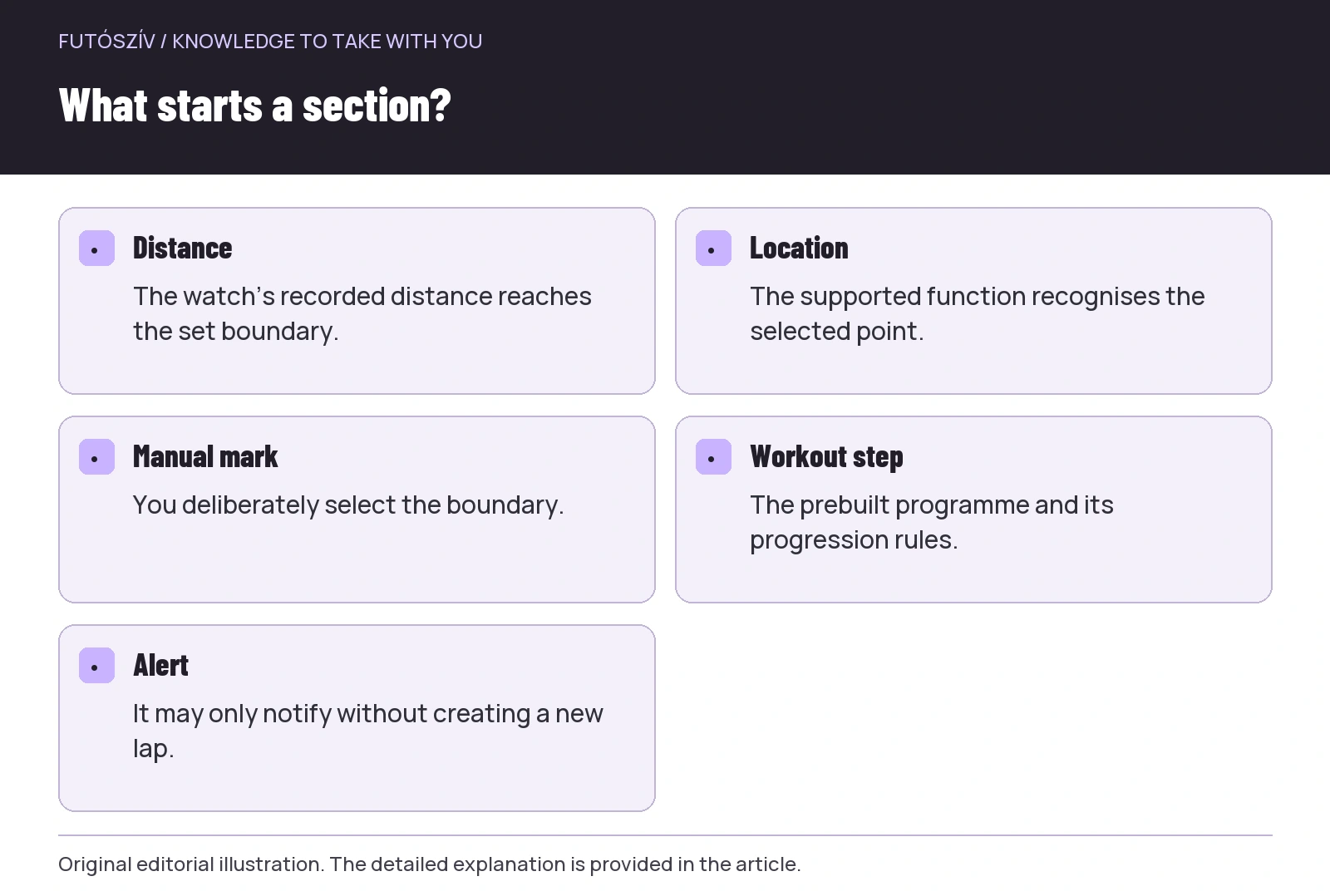 Enlarge diagram
Text version of the illustration
- Distance
- The watch’s recorded distance reaches the set boundary.
- Location
- The supported function recognises the selected point.
- Manual mark
- You deliberately select the boundary.
- Workout step
- The prebuilt programme and its progression rules.
- Alert
- It may only notify without creating a new lap.
Manual laps: you name the boundary
A deliberate manual action selects one section’s end and the next start according to device operation. This can separate a variable-length climb, marked trail section or another task. The boundary follows your handling moment, including your imprecision. You need not call it timing to a thousandth of a second. Its purpose may simply be finding an important part later within the whole run. Briefly note what the mark related to.
The Polar Vantage M3 during-training manual presents specific manual and automatic lap methods and notes that a button has another function on certain screens. This usefully reminds you to learn your controls. Do not assume the same short press works on every page. Try manual laps calmly first and check feedback after the intended action. Safe movement and awareness while running take priority over button timing.
Alerts and lap marking can be separate functions
A distance vibration does not necessarily create a new lap. The COROS Auto Lap and Distance Alert guide explicitly separates marking from notification-only functions. Clarify what happens at an alert on your watch too. If you want regular distance notifications while preserving manual sections, separate settings may handle the roles. Availability is product-dependent. Look beyond vibration to the actual section list afterwards.
The difference becomes tangible in analysis. Notification alone may remind you of distance without starting a new lap average or resetting lap time. Marking may divide the recording. If the first screen uses lap pace, an unexpected boundary can change the section represented by the average. Alerts and data-field settings therefore interact. In a useful setup, you know when the average’s basis changes and vibration causes no surprise on screen or in the log.
| Option | Which question does it suit? | What creates the boundary? | What should you check? |
|---|---|---|---|
| Automatic distance lap | How did equal-distance parts unfold? | Recorded distance | Units, source and interaction with manual marks |
| Automatic location lap | What happened on a repeated route? | Location recognised by the system | Position data and nearby route branches |
| Manual lap | What happened in my selected task? | A deliberate marking action | Button role and feedback |
| Distance alert | How far have I travelled? | The specified notification condition | Does it actually create a lap or only notify? |
| Structured workout step | Where am I in the planned task? | The workout programme and progression | The lap button’s particular role here |
The button may change roles in a structured workout
In a prebuilt workout, the device may handle separate work, rest and other steps. Under the system’s rules, the lap button may advance the programme rather than freely mark another row. The cited COROS description separately discusses structured-workout behaviour, for example. Check this in your own manual before starting. A mistaken press may advance the programme without an easy way back. Familiar free-run controls do not always transfer unchanged.
Section time, lap time and total time on screen may have different bases too. To follow the task through time remaining in a step, select the appropriate field. Automatic kilometre divisions and workout-step views may serve different questions. You need not enable every possible layer simultaneously. Understand the planned task while running and review the appropriate details afterwards. Technical complexity should not conceal a simple intention.
What happens when manual and automatic laps mix?
This depends on the product, so read your system’s description. A manual mark may shift the next automatic boundary; another system maintains several lists. COROS specifically explains its own behaviour after manual marking in the cited guide. Do not generalise that rule to another brand. The important question is whether the setting counts automatic distance from the run’s start or the latest mark. If unknown, a short trial and lap-list review may clarify it.
In an illustrative situation, automatic kilometre laps are active when you manually mark a climb’s foot at six hundred metres. The watch’s operation determines when the next automatic lap arrives. Do not assume it certainly occurs at the first kilometre marker. Afterwards, examine each row’s distance and time and explain why it arose. If you only need regular distance notifications, a separate alert may be the right tool. Settings chosen for the goal can produce a simpler log than decoding marks later.
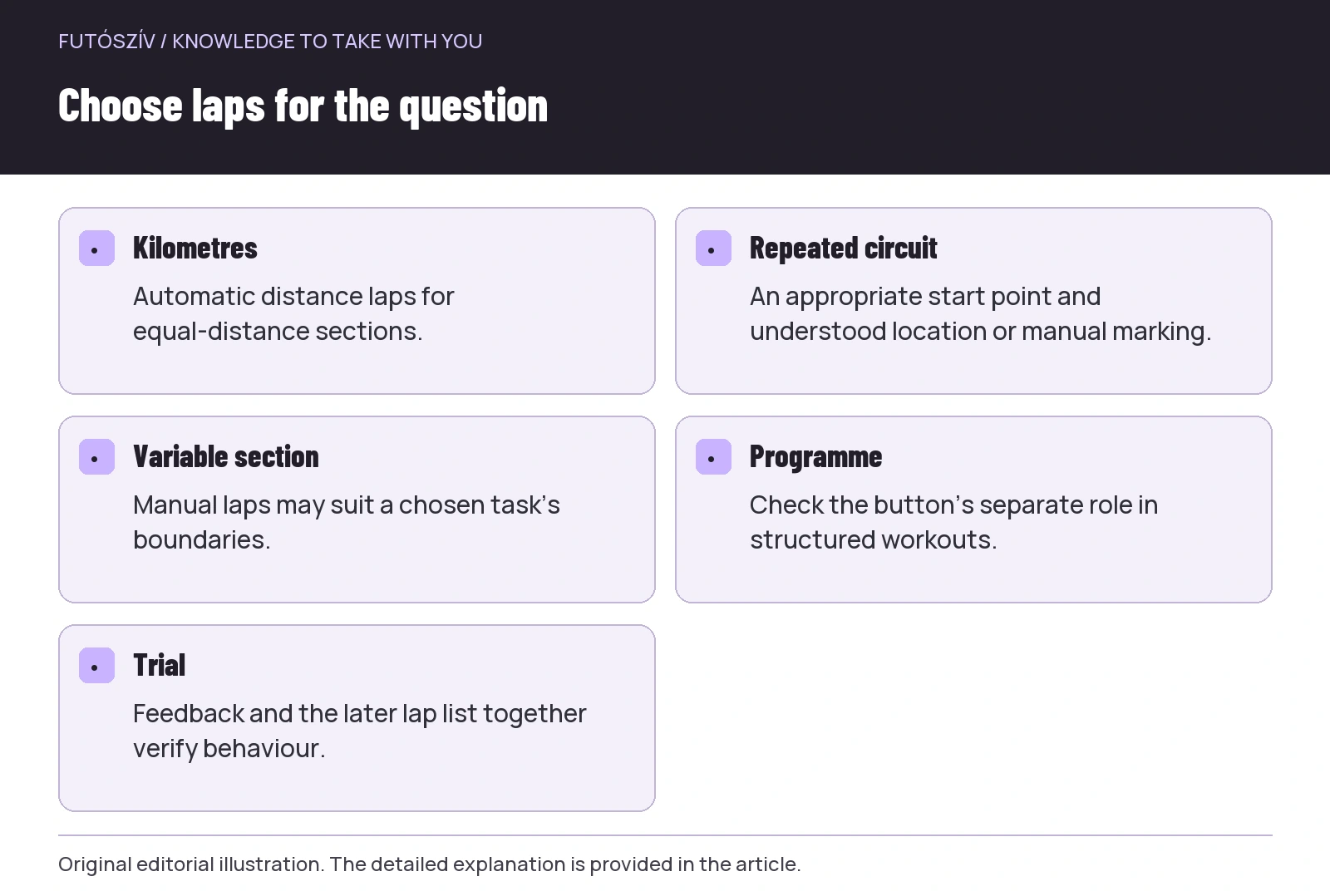 Enlarge diagram
Text version of the illustration
- Kilometres
- Automatic distance laps for equal-distance sections.
- Repeated circuit
- An appropriate start point and understood location or manual marking.
- Variable section
- Manual laps may suit a chosen task’s boundaries.
- Programme
- Check the button’s separate role in structured workouts.
- Trial
- Feedback and the later lap list together verify behaviour.
Four running situations, different divisions
On a continuous city loop, equal automatic distance sections can provide an overview if that is your question. On repeated actual circuits, lap time from a defined starting point may matter, marked manually or through a supported location feature. On a variable-length trail climb, separating the chosen foot-to-top section may help. In a structured workout, programme steps supply the framework. These are usage patterns, not compulsory sessions. Match lap marking to the question and remain able to explain the selected boundary later.
If you only want to record an experience without a section question, you need not manage laps while running. The complete recording and retrospective views may suffice. Disabling or simplifying a feature is as deliberate as using it. Too many unexpected alerts can make a watch distracting while generating rows never examined afterwards. Select what you need and drop unnecessary layers after the first trial. Good recording does not mean marking every possible boundary.
Use lap average only with an understood lap
Lap average calculates from the current boundary, subject to its exact definition. If an automatic or accidental manual mark began a new section, the average’s basis may change too. A short new lap can respond faster than a long section. This is not necessarily a sensor fault. Know which lap you are in and what started it when reading the display. Label, lap number and time can help together. Overall average, current pace and lap average answer different questions; none automatically replaces another.
Afterwards, do not simply add average paces from unequal laps and divide by the row count. For the whole section’s pace, relate total appropriate time to total distance. A short accidental lap would receive equal weight to a long one in a simple mean of row averages, despite unequal distances. Read the list with distance included. Arithmetic checks prevent many small rows creating false detail or precision in final evaluation.
Accidental marking: document rather than rush
If you pressed at the wrong time, continuing safely matters more than immediately correcting a menu. Undo options vary by model and software, so do not try at random. Afterwards, note the accidental boundary. If the recording is otherwise retained, a questionable lap list does not automatically invalidate every value. Use supported analysis and editing options, retaining the necessary original. Precisely flagging the accidental boundary often suffices for later reading.
For prevention, check cuffs, button locks and whether you genuinely need the lap function in that profile. Do not disable a control required for an important workout step until you understand the consequence. Check sport-specific settings too. One occasion needing manual laps and another simple recording may warrant different configurations under device options. Clear names and a pre-start glance help avoid confusing nearly identical profiles.
You can begin a lap-settings trial in five minutes
In calm surroundings, find automatic lap, distance alert and manual-button settings using your manual. Then try the selected system on a short familiar route under normal safe use. Observe feedback and inspect the rows afterwards. An important preparation session need not become a technical experiment. The aim is knowing which action creates which boundary. Once device behaviour is understood, focusing on running becomes easier because alerts are no surprise.
An interpretable lap list explains why and where each important section began. Regular distance splits, actual circuits, manual task boundaries and workout steps may coexist if your product supports them and you understand interactions. The aim is not every feature active simultaneously. Get a clear answer to the chosen question: how the kilometre went, how long the selected climb took or where you were in the programme. Automatic and manual methods then become tools for different tasks rather than rivals.
Sources and further reading
- Garmin Forerunner 265 – Auto Lap
- Polar Vantage M3 – During Training, laps
- COROS – Auto Laps and Distance Alerts for Running
How Futószív articles are prepared: our editorial guidelines.