One switch in the watch menu suddenly produces a much longer estimated runtime. It is tempting to turn it on immediately, particularly before a long run or race. But the bigger number usually comes at the cost of some operational change: less frequent positioning, a disabled sensor, different display use or restricted connectivity. A sound decision is neither always leaving everything at maximum nor pursuing the longest time at any cost. Preserve the functions needed for the task and consciously give up those you genuinely do not need for that outing.
Smartwatch days and running hours: different measurement situations
Several days of general use on a product page are not the same as continuous satellite workout recording. Active navigation, display, music and sensors can create different demands. Before buying or planning a long outing, check which operating mode the published time refers to. When comparing watches, apparently similar large numbers may conceal different functions. Find the appropriate line for your own purpose, rather than the biggest value on the product page. Nominal data are a starting point; the actual device’s condition and settings are additional factors.
The estimated time remaining on the watch also rests on particular conditions. If you use it differently during a run or the environment changes, the result may differ. Do not plan down to the last possible minute. Detours, slowing down and stopping can be part of a real long run. Reserve matters beyond preserving the workout file. If you also use the watch for navigation or another necessary function, power is part of the whole system of use. A longer displayed time does not itself tell you which task remains operational.
Less frequent GPS or GNSS changes the data
Some power modes record satellite position less frequently or use a different satellite-system setting. The specific effect depends on device and profile. The Polar Vantage V3 manual , for example, separately describes savings related to changing recording frequency and disabling wrist-based heart rate. The lesson is not that every power mode behaves this way, but that its name conceals actual data changes. Read the current instructions for your own model and software instead of copying video steps for another watch.
With less frequent position data, interpreting bends, short sections and instantaneous pace may differ. A long straight and a tightly winding trail pose different tasks for the system. Do not assume an attractive-looking trace was built from the same amount of information at every moment. Tracking short intervals accurately may allow a different compromise from logging a long, easy route. Choose the power mode for the training question. A later app cannot always turn detail missing from the recording back into real measurement.
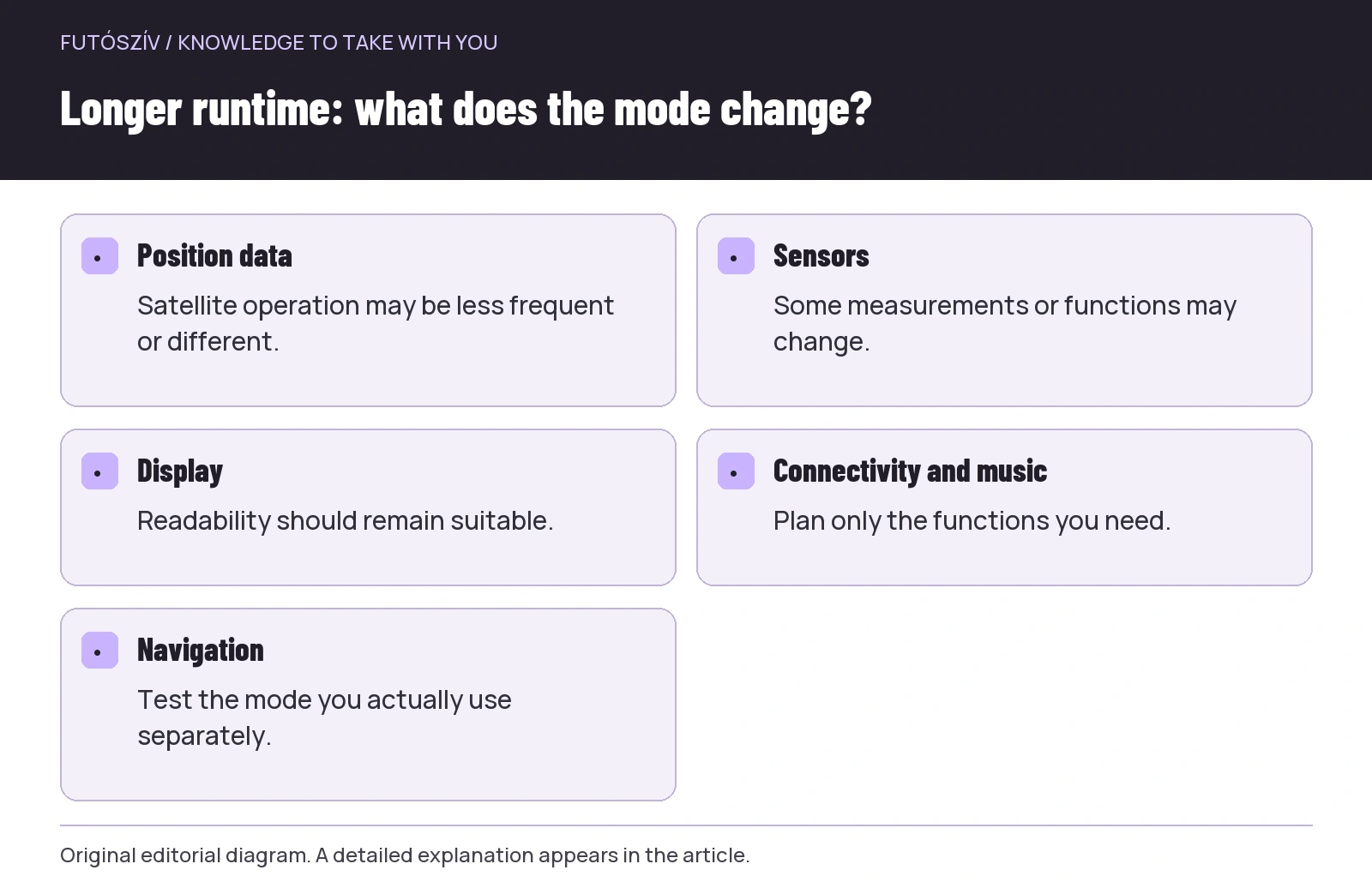 Enlarge diagram
Text version of the diagram
- Position data
- Satellite operation may be less frequent or different.
- Sensors
- Some measurements or functions may change.
- Display
- Readability should remain suitable.
- Connectivity and music
- Plan only the functions you need.
- Navigation
- Test the mode you actually use separately.
Check navigation separately
Map display, route following, direction guidance and return navigation are not necessarily the same function, and some power-saving modes can affect them too. Check your own manual for what works with the selected setting. Do not first discover on distant, unfamiliar terrain that the navigation view you want is restricted. Load a familiar route and test the steps you would actually rely on somewhere safe. A route name appearing on the watch does not prove every necessary function is appropriately available in the current profile.
If navigation is important to your run, establish the operation it needs first, then look for other savings. Longer displayed runtime is a poor exchange if the very task you need becomes uncertain. Have alternative route and return-home plans suited to the situation too. A sports watch is useful, but does not automatically make unfamiliar surroundings simple. Managing power is one part of the navigation system, not solely a question of preserving training data. Make that distinction clear in planning.
Heart rate: what disappears, and where does remaining data come from?
A power mode may switch off or reduce certain sensing functions, but the effect varies by model. An external heart-rate monitor does not change power use and data sources in the same way in every system either. Check where heart rate comes from on that run and whether the intended connection works. The Apple guide to Low Power Mode , for example, separately discusses function changes and less frequent GPS and heart-rate data for some workouts. This describes a particular system, not a general switch list for every watch.
If you follow heart-rate-based training, dropping the data means more than a prettier battery figure: it also affects how the session is guided. Decide in advance how you will use intensity information and consult your coach as needed. Understand possible changes to health-related functions or notifications from the manufacturer’s description too. Do not automatically change them for an online “save on everything” list. The aim is suitable operation for your task, not disabling every possible sensor. Mark missing data in your log afterwards if it matters to analysis.
Display: preserve readability
Always-on display, brightness, wake behaviour and backlight timing can affect use and consumption. However, you still need to read necessary information clearly. A dim, awkward screen may demand longer attention while running. Instead, find a simple data view suited to your circumstances and test it somewhere safe. Daylight and headlamp running may call for different settings. Visual and control needs are personal, so minimum brightness is not a universal aim. The display is part of the device’s usability.
Reducing notifications and unnecessary screen actions may simplify running, but evaluate settings against your own needs. If you rely on an important contact or other function, check the effect separately. The Garmin Power Manager description presents several functions and user modes. Among your model’s options, organise those you actually use. Aim for a clear personal profile with a few elements rather than switching every toggle in the menu.
Music, connectivity and maps: you do not ask the same of every run
If you listen to music from the watch, use a wireless accessory or frequently view the map, operation may differ from simple recording. Check which functions the nominal product figure includes. The phone’s proximity and connection may also play a system-dependent role. You do not need a detailed consumption investigation every day, but develop a realistic picture of your own habits before a long event. Manufacturer conditions and familiar use experience together provide a better basis than hopefully adopting the largest number for general smartwatch mode.
You can create two clear usage profiles: everyday running and a longer route. Keep only what is needed for the particular task in the second, but ensure those functions really work. Know the profile’s name and effects, and check which is active when setting off. Less frequent recording configured earlier can accidentally remain for your next interval session. Rechecking status takes a few seconds; explaining a misunderstood workout file afterwards takes much longer. A few well-named profiles may be simpler than rebuilding the system with many individual switches before every run.
| Possible change | What might you gain? | What needs checking? |
|---|---|---|
| Satellite recording mode | Potentially longer operation | Effects on pace, route detail and navigation |
| Sensor function | Fewer active measurements | Which data and services remain? |
| Display use | Less continuous display | Does it remain easy to read and operate? |
| Music and connections | Simpler operation | What is necessary for your own run? |
| Long-run profile | Repeatable settings | Is it actually active at departure? |
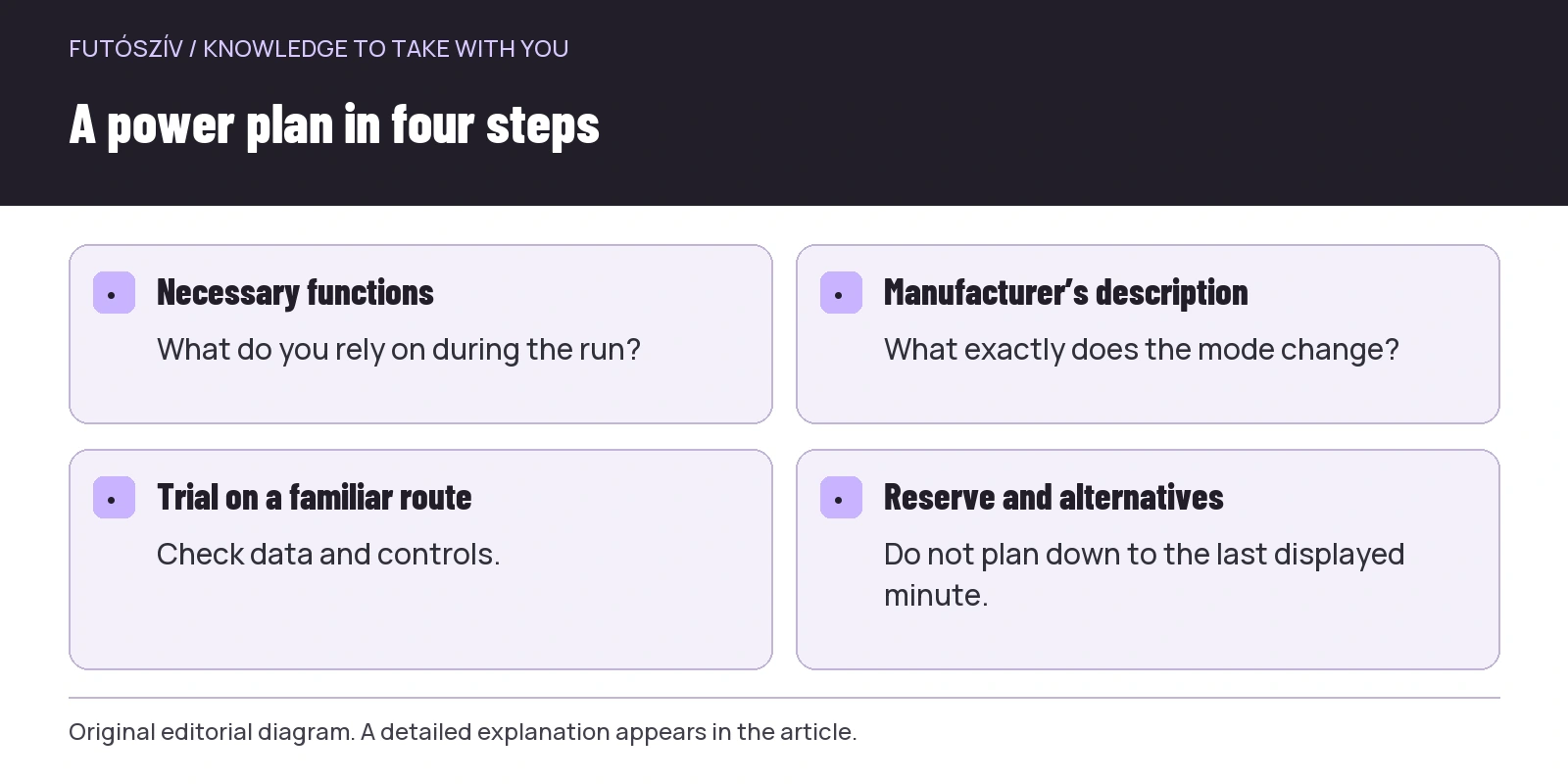 Enlarge diagram
Text version of the diagram
- Necessary functions
- What do you rely on during the run?
- Manufacturer’s description
- What exactly does the mode change?
- Trial on a familiar route
- Check data and controls.
- Reserve and alternatives
- Do not plan down to the last displayed minute.
Your own trial with a simple log
First use the selected long-run profile on a familiar, safe route. Note starting and finishing charge, run duration, important functions and weather. Do not calculate guaranteed maximum hours from the percentage used in a single short trial; consumption and conditions can change. The aim is rather to notice striking differences and missing functions. Did the desired navigation remain? Were heart-rate data actually available? Could you read the display well? The trial familiarises you with the system; it is not laboratory battery certification.
If consumption is unexpectedly high, first examine the actual settings and manufacturer troubleshooting. Software, syncing, background processes or device condition may also be relevant, depending on the system. Do not blindly try to fix it by switching off every unfamiliar function. Change one thing, then check again in similar use. If the problem persists, the exact model, software, profile and experience provide useful information for manufacturer support. Documented operating circumstances invite a more targeted answer than “it drains quickly”.
Temperature and ageing: a new product’s specification is not the whole present picture
The device’s age, battery condition and surroundings may differ from nominal test conditions. Follow your own manufacturer’s handling and temperature requirements. In cold or hot conditions, do not plan to the last minute from general room-temperature experience. Charge and store it in supported ways too. Not every online battery tip applies to every watch. System condition is more than a percentage indicator: cable, contacts and connection can affect preparation too. Find faults using appropriate guidance rather than risky home intervention.
Do not change every profile and data source at once in the final days before a longer event. If an update occurred, allow time to check necessary functions. A mode discovered and improvised during the race may bring different compromises from those you expect. If you plan charging on the move, check supported use beforehand under your device’s and event’s rules. A connector physically fitting does not prove every desired function works during charging. The plan is usable only when you know the actual operation.
A good power plan starts with the task
List the functions your run needs, check what each power mode changes, then test the chosen setup. Keep a realistic reserve and an alternative suited to the situation if the watch stops working. Every session does not require maximum data collection, but giving up data should be deliberate. Longer runtime is valuable when the tasks important to you remain. Rather than a large number of hours on the display, regard this as success: familiar settings, necessary functions working appropriately, and a tested plan suited to the real route.
Sources and further reading
- Polar Vantage V3: power-saving settings
- Apple: Low Power Mode and function changes
- Garmin: using Power Manager
How Futószív articles are prepared: our editorial guidelines.