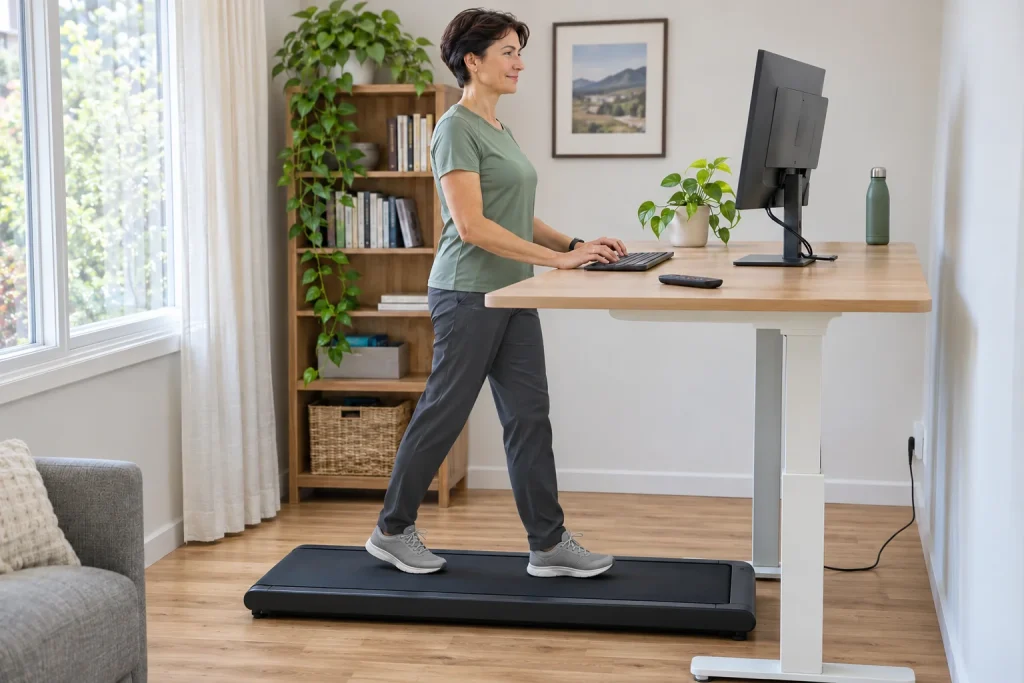
The WalkingPad A1 Pro offers a low, foldable belt for walking while working. With your own adjustable desk, you can create a working environment in which you walk slowly during certain tasks. The machine’s most interesting element is not a large screen or a workout video, but its controls: the remote, KS Fit app and automatic FootSense mode intervene in pace differently. A good choice begins with understanding them.
The guide starts from the US WalkingPad product page checked on 21 November 2026, the manufacturer’s own comparison and general computer-workstation ergonomics. A desk-height calculation of our own, a work-task trial and a logging plan supplement it. It is not a personal A1 Pro test. We identify US specifications separately; the model name does not establish the local electrical version or weight capacity.
A walking machine: intended use matters more than the word treadmill
WalkingPad’s current comparison article classifies the A1 Pro, C2 and Z1 as walking models and explicitly says they are not designed for running. The A1 Pro’s US specification lists 0.5–3.75 mph, or up to 6 km/h. The word treadmill in the product name therefore does not imply the capabilities of a rail-equipped running treadmill chosen for a full running workout.
Put the task first on your decision sheet: under-desk walking, separate walking or running training. This guide examines the A1 Pro for the first two. We do not infer suitability for running from the word ‘running’ in a few general manufacturer marketing sentences. The particular model’s intended use and documentation provide stronger guidance than a broad product-group label.
If your main aim is completing a running programme, first seek a machine suited to it. Workday walking solves a different task: fitting movement alongside some computer activities. Both roles can coexist in your life, but should remain distinct in your log and purchasing decision. Our article on the place of walking in a runner’s week offers further considerations for the broader training context.
The remote, app and FootSense operate differently
The A1 Pro manufacturer’s page lists three ways to adjust speed: remote control, KS Fit and FootSense. According to the manufacturer’s FAQ, automatic mode changes speed based on your position on the belt. It is therefore not simply maintaining a preselected pace. Manual control and automatic regulation also behave differently as you move.
In your first familiarisation task, learn manual mode, starting and stopping without work. The manufacturer also recommends getting familiar at low speed before automatic mode. Keep the remote to hand and know what each button does on your own version. Add the computer task only afterwards; otherwise, you are learning two new sets of controls at once.
When trying FootSense, observe what happens as your position changes. At a desk, reaching for the keyboard or mouse may also influence where you stand on the belt, so examine a comfortable workstation arrangement alongside this. If a manually chosen constant pace is clearer to you, automatic mode is not a compulsory goal. The right control is the one you confidently understand and use alongside your own task.
Belt height also affects desk adjustment
The US product page examined gives an external height of 129 mm, unfolded dimensions of 1432 × 547 mm and folded dimensions of 822 × 547 mm. When planning your workstation, seeing that the machine fits under the desk is not enough. Your feet and body may rise relative to the floor while the keyboard and monitor remain in their previous positions. Measure the actual walking-surface height on the specific machine.
In an illustrative calculation of our own, if the walking surface raised your body by 12 cm in use, the same desk height relative to the floor would become 12 cm lower relative to your elbows. This is not a recommended raising amount for everyone, and the machine’s external dimensions do not automatically establish walking-surface height. The calculation explains why the workstation needs readjusting to the new standing position.
OSHA’s general computer-workstation checklist examines appropriate hand, wrist and forearm alignment, a readable and accessible monitor and avoidance of excessive reaching. This is general ergonomic guidance, rather than approval of the A1 Pro for your working environment. In your trial, arrange keyboard, mouse and display together; an adjustable desk alone does not solve every placement question.
 Enlarge image
Your own task trial: which work suits walking?
As our own editorial trial plan, you can examine usability through three different tasks: reading a short text, writing a simple note and work requiring precise mouse actions. These are not tasks already proven suitable, but comparable situations of your own. Do not choose an urgent deadline or a live financial transaction for the first trial; make the work’s result checkable without consequences.
For assessment, record more than distance. Note whether you had to hold onto the keyboard, whether readability changed and whether the task’s result was satisfactory. If an activity repeatedly makes you lean forwards, lose a comfortable position or struggle to keep track of movement, do that work without the machine. Not every office task needs fitting into the same movement routine.
Your comparison sheet can have separate columns for seated, standing and walking work. For the same short task, record ease of use and comfort, rather than immediately drawing health conclusions or calculating a general productivity percentage. The aim is a personally usable work routine. Time spent walking alone does not prove that the rest of the day’s demands or all seated periods changed too.
KS Fit: the machine log and working time are two separate measurements
WalkingPad identifies KS Fit as the A1 Pro’s companion app. The machine’s display can show time, speed and calorie data, while the phone interface may provide control and logging in the chosen connection. This article does not assume identical exports to external health platforms for every regional version. If you want to save walking to a particular destination system, check it separately with the current app version.
In our own numerical example, three twenty-minute periods of steady walking at 2 km/h have a theoretical total distance of 2 km. One twenty-minute section is two-thirds of a kilometre. This is a simple time-times-speed calculation, rather than a recommended daily amount for everyone or an actual A1 Pro measurement. If your working day includes breaks, a block booked in the calendar may differ from time the belt actually moves.
Do not treat displayed calories as a direct laboratory measurement of your body’s energy expenditure either. Make the data’s origin clear in the log. Equally, your wristwatch’s step count and the machine’s value may come from different sources; with your hands at a desk, identifying the source is especially useful, rather than simply replacing one number with the other. Your own series becomes more interpretable when you follow the same fields and circumstances.
Foldable, but storage still needs planning
Folding reduces storage length, but does not make the weight you must move disappear. The US specification examined gives a net weight of 28.5 kg. As a home-planning task of your own, examine the route between use and storage locations too: include thresholds, carpet edges, doors and turns on the sheet. Folded dimensions describe the stored machine, rather than the complete moving task.
Choose the storage position according to your own manual. Do not infer approved storage for every model from upright or under-furniture placement in an online product photograph. The space must be large enough in the approved position; keep cable and remote ready for the next occasion too. Folding should not become precarious balancing of objects piled onto the machine.
Plan two states in your daily routine: ‘ready for use during work’ and ‘stored without obstructing normal movement through the room’. The transition should be achievable according to the manufacturer’s moving instructions. If every occasion requires lifting heavy objects or cables over it, the compact size’s advantage shrinks. Actual storage and retrieval therefore also shape usability.
Capacity and electrical version: the A1 Pro name is insufficient
The US A1 Pro product specification lists both a 230-pound version labelled 105 kg and a 300-pound version labelled 136 kg. Check the selected product’s configuration, rather than generalising the largest number associated with the model name. Other regions may have different versions and documentation. The identifier on the order, the delivered machine’s label and its local manual should match.
The same applies to power: the US specification examined states 110 V. WalkingPad’s FAQ explicitly asks users to check rated voltage and plug compatibility with the local supply. The US page is therefore a source about functions in this article, rather than a ready-made offer confirmed for a Hungarian socket. Arrange the appropriate European version and local servicing before buying.
Alongside capacity, support and ability to use the device are decision factors. A low walking machine without handrails does not suit everyone simply because their body weight falls within the specified limit. If you have balance or movement difficulties, necessary assistance and equipment need individual selection. Do not automatically regard an adjustable desk as a handrail or safety support designed for this purpose.
 Enlarge image
The working day’s rhythm should depend on more than the machine display
The A1 Pro may offer walking during some work periods, but it does not organise the whole working day. OSHA’s general checklist also examines alternating keyboard tasks and opportunities for breaks. Leave room in your routine for movement without the machine, other tasks and real rest. Moving your feet does not by itself remove continuous attention to a screen.
In your weekly overview, examine three things: which tasks allowed usable walking, how easily setup and finishing went, and how demanding the whole day felt. A log may help find your own comfortable schedule, but you need not immediately target hours of use or a compulsory step count. Evaluate workday walking volume alongside usability, rather than only the display’s increasing number.
Operating the machine is also shaped by the manual’s time limits and care tasks. The manufacturer’s FAQ does not require monthly membership for the app’s basic functions, but this does not mean the machine can operate indefinitely without breaks in any environment. Keep your version’s operating and maintenance instructions available; do not try to explain uncertain operation involving a physical fault by reconnecting a cloud service.
An acceptance plan for your real working environment
On delivery, first check the version, capacity and electrical specification. Next learn the machine on its own in manual mode, then readjust desk and display. Only afterwards add the chosen short work task and app log. Treat automatic mode as a separate familiarisation step. Each point should have an observable result: you can operate it, have appropriate space, can complete the task and can retrieve the data.
The A1 Pro may be a useful addition when walking fits part of your work, its controls are understandable and daily retrieval is not a separate moving project. This does not establish suitability as a replacement for running training. Alongside our article on the differences between treadmill and outdoor running, it becomes easier to identify the two different tasks workday walking and a separate running programme may serve in your week.
Sources and verification
Checked: 21 November 2026. Manufacturer function data and general computer-ergonomics guidance; not an independent product test or a suitability opinion for an individual workstation. The 12 cm height example, arithmetic of twenty-minute blocks and work-task trial are our own editorial analysis, rather than a prescribed daily load.
- WalkingPad: A1 Pro US product page and versions.
- WalkingPad: FootSense, app, space and power compatibility.
- WalkingPad: manufacturer comparison of C2, Z1 and A1 Pro.
- OSHA: general computer-workstation checklist.
- OSHA: arranging workstation components.
How Futószív articles are prepared: our editorial guidelines.