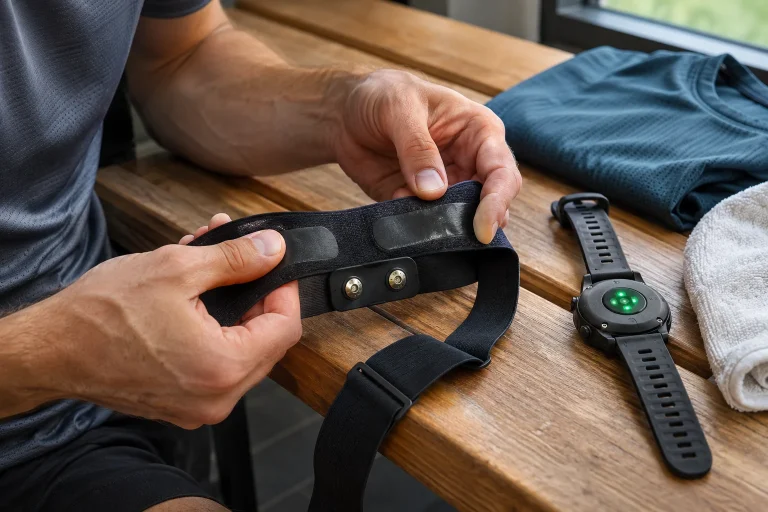
You see a detailed curve in the sensor’s own app, but that metric disappears after uploading the workout to another log. Distance, pace and heart rate survive, so the import appears successful. It is easy to conclude the measurement never entered the file or the other service deleted it. In reality, the data chain can break at several different points.
FIT can also carry custom fields added by developers. Preserving them, recognising them and displaying graphs are three separate capabilities, however. This article follows an imaginary running sensor’s data to clarify what to ask the exporter and receiving log. It is not a programming manual, but a practical checking method when a value becomes invisible between systems.
Custom data can sit alongside the standard field list
The official Garmin Developer Data Fields guide explains that FIT 2.0 allows self-describing custom fields to be added to existing messages. Connect IQ apps and data fields use this capability too. Storing a new metric does not necessarily require waiting for it to enter the common predefined field list. Extensibility does not mean every log fully supports it, however.
In our original fictional example, a sensor produces a custom-unit metric called a “ground vibration indicator” alongside basic data. This is not an existing product or validated health metric. The neutral example lets us examine the file’s path rather than a specific algorithm’s meaning. The metric can be stored as a custom field while the receiving app draws only familiar distance and heart-rate curves.
The user sees only a missing graph. That does not directly reveal whether data is absent from the file too, ignored during reading or simply lacks an interface. The correct fault question therefore starts with which stage the particular field reached. A missing graph alone does not answer it.
Name, unit and identifier together describe the field
The official developer guide uses Developer Data Id to identify the source and Field Description to describe field type, name and units. The developer index and field definition number together connect meaning to value. This matters because the same short field number can mean different things from different sources. A number alone or friendly screen name is not full identification.
In our original example, app A’s field 0 represents a duration in milliseconds while app B’s field 0 represents a dimensionless custom score. Both having field number zero does not make them identical. If an exporter labels each only “field_0”, the reader may lose important clues. Preserving source and unit is necessary even when numbers happen to have similar magnitudes.
A label change and metric change differ too. An app can rename a field or display it in another language while the identified data stays unchanged. Conversely, the same short name can later represent another calculation version. Record the source app and version for precise comparison, especially in a long training log.
Successful reading does not mean displaying every field
The official FIT protocol description also discusses ignoring appropriately defined data unknown to a processor. A receiver may process supported fields without passing the rest to its views. This is one situation in an extensible format. Every new metric need not make the entire run fail to import.
In our original data chain, the source file contains the custom indicator at a hundred timestamps. The receiver reads the file without error and stores basic data, but its database has no place for this field. Another possible receiver stores the field too but has no graph. The user screen can look identical in both cases while later recovery options differ.
The question is therefore more than whether an app “supports FIT”. Ask separately whether it reads custom fields, preserves them in the original file or its own database and returns them on export. Display is an additional step. A yes to general format support does not automatically prove all four capabilities.
 Enlarge image
An old decoder does not always merely skip a new feature
The Developer Data guide specifically notes that introducing custom fields in FIT 2.0 involved a protocol-level change. Earlier SDKs unaware of it may encounter errors reading such files. This differs from silently ignoring an unknown field within a supported protocol. Assuming an old programme will “just not draw it” is therefore not always correct.
In our original checking situation, one programme rejects the file outright while another shows a complete run with one missing curve. The first needs format or protocol handling clarified, the second field preservation and interface support. Similar complaints that “the export doesn’t work” can point to different stages. Describing the fault accurately can save substantial work.
Before manual conversion, check the processor’s current documentation and supported version. A newer decoder may read a field an older one could not, but that does not mean the log’s interface will display it too. Updating software may matter, while file support and product features remain separate checks.
CSV export separately decides which columns survive
The Garmin activity-decoding example gathers standard and developer fields separately to create CSV. It also explains that available fields can change during a recording, so examining only the first record’s field list is insufficient. Custom export is therefore possible, but the particular exporter’s design determines which fields become columns.
In our original example, a runner begins the first three minutes without a sensor, then connects it. Early rows lack the custom metric while later ones contain it. An exporter building the entire header from the first row could omit that later field. The original file’s later section may still contain the data. Examining fields throughout the recording differs from opening the first row quickly.
An empty field is not zero. In our original table, missing sensor values stay empty and actual measured zeros are marked zero. Combining the two can make a later average or graph falsely suggest continuous measurement during disconnection. Marking absence matters just as much as the retained number’s unit.
Conversion to another format can lose some content
Converting a file is not necessarily a complete, lossless translation. Both the destination format and exporter would need to know where to put custom source data. Without an appropriate field or extension, the converter may omit it. Retaining the mapped track and timestamps therefore does not establish that every custom sensor metric transferred too.
The official Strava export information distinguishes export in the original format from GPX or TCX downloads. Original export preserves the uploaded file type; it is not always FIT, but depends on what was uploaded. If a custom FIT field matters for later reanalysis, keeping the genuine source file matters more than having a generic track export.
In our original workflow, the watch’s FIT is retained, a CSV is created for reading and a separate track for route sharing. Each has a different role. CSV columns are easy to review, the route easy to share and the original remains the basis for later detailed processing. One file need not fully perform all three tasks.
A custom field is not automatically valid or identical in meaning everywhere
A number being correctly stored in FIT does not establish its sports-science meaning or accuracy. The format supports storage and interpretable transfer, not professional validation of the algorithm. A self-describing field can be a documented estimate, simple note or developer’s own metric. Judge file validity and metric usefulness separately.
In an original example, two manufacturers both call a value “stability”. One builds its scale from temporal variation, the other from a different sensor signal. A shared name does not justify placing them in one progress graph. Without algorithm definition, units and calculation context, the similarity is only linguistic. Merging them could claim more than the data supports.
Preserving a custom metric therefore does not aim to turn every number into an instruction. Keep original data for later examination while using a better-understood field for a current decision. Storage and use are separate decisions. Losing an unknown curve may be frustrating, but recovering it still leaves the question of what it is suitable for.
 Enlarge image
Five questions to locate where data was lost
First check whether the sensor and recording app actually saved the desired field. A value in its own app can be calculated later and absent from the watch file. Second, examine the original file’s fields with an appropriate decoder. Do not infer file contents backwards from an empty graph; these checks answer different questions.
Third, find the exporter’s preservation rules; fourth, the receiver’s storage; fifth, display and re-export. In an original checking table, each stage can be marked “present”, “absent” or “not checked”. The last label matters: unexamined data must not be called definitely missing. This also makes a support request clearer about where the chain broke.
In a support request, include source app and version, file type and a brief exact section description alongside the field name and units. If the issue occurs only with one export variant, state that separately. Instead of publishing full running-location data, use the provider’s appropriate private channel when needed. A targeted example informs more than numerous unidentified files.
What should remain in an archive usable later?
Keep the original file, device and app details and brief documentation of the custom field or its precise source link. A separate note can record which metric you want to preserve and why, rather than putting a reminder only in the filename. An archive’s value lies in being understandable later. Many identically named copies transformed differently can easily confuse the history.
Retaining the original may allow a later, more capable processor to use it if the required field is already present. An archive cannot retrospectively create something never recorded. If only a reduced export remains, a missing custom field cannot reliably be reconstructed from pace or other merely related data. Future possibilities rest on preserving the actual source.
A missing sensor metric therefore calls for separate checks of file contents, processor support and interface. FIT developer fields allow flexible transfer but do not promise every service handles every custom curve. A documented chain and unchanged original distinguish invisibility from actual data loss. Repair can then address the point that genuinely needs it.
Sources
- Garmin FIT: Working With Developer Data Fields.
- Garmin FIT protocol: definitions and handling unknown fields.
- Garmin activity decoding: CSV export of custom fields.
- Strava: original-file, GPX and TCX export.
How Futószív articles are prepared: our editorial guidelines.