Some running equipment works best by solving one task clearly. For the Polar H9, that task is transmitting training heart rate to a suitable watch or app. Internal memory or two parallel Bluetooth receivers are unnecessary if your training needs neither. Yet choice is not only price: connection methods on your watch, phone and possible exercise machine together determine whether the H9 is enough. We explore that decision through specific data-route plans and measurement routines.
What does the H9 do during a run?
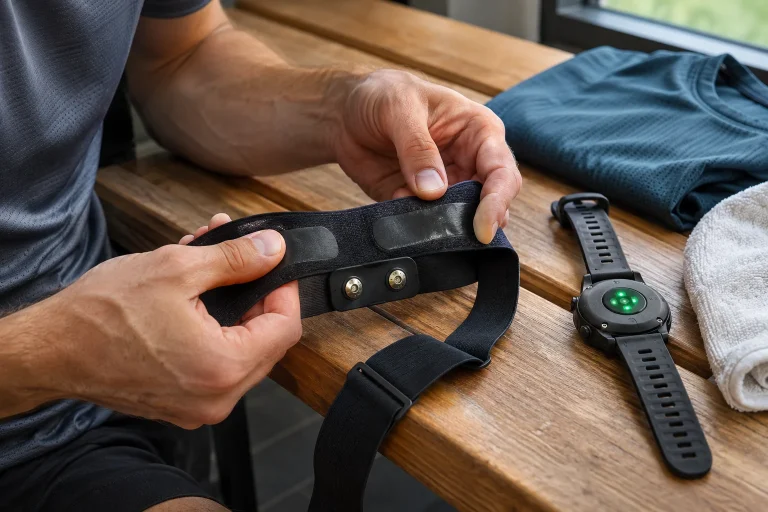
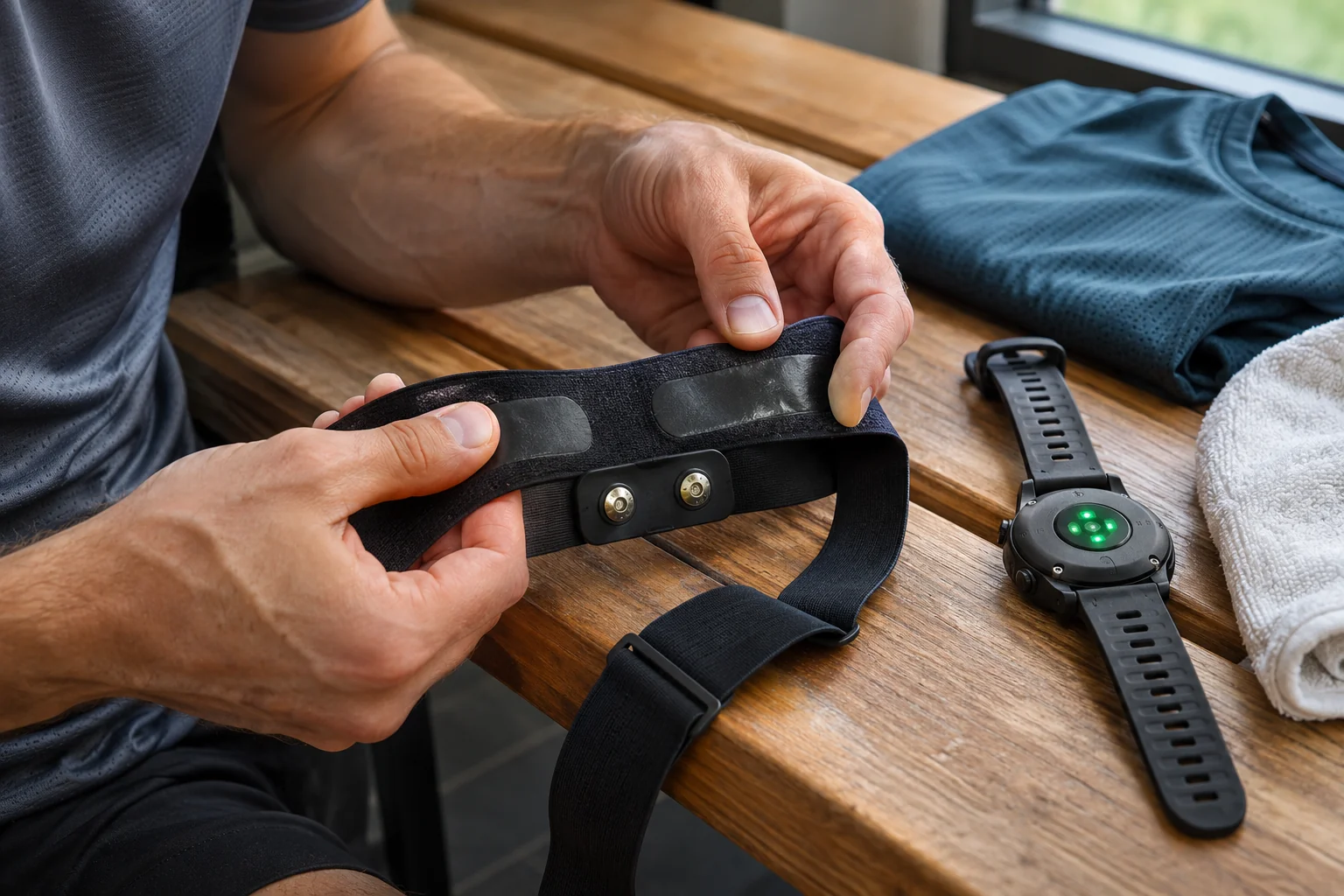
Polar presents the H9 as a chest-worn sensor using the heart’s electrical signal. The transmitter is positioned through a textile strap, with training heart rate appearing on the receiver. The manufacturer’s package includes a Soft Strap; the Pro Strap associated with the H10 is a different accessory. Sensor and textile are separate components, worth considering separately for buying and care.
The measurement basis differs from wrist optical sensing, but that does not require dividing the two methods universally into good and bad. Devices, wearing and movement surroundings shape practice. The H9 provides a usable chest heart-rate source for a supported system. Our comparison of chest-strap and wrist measurement explains the settings’ differences further.
Training heart rate is not a complete health report. An electrical measurement principle does not itself mean your watch produces a clinical ECG recording and medical interpretation. Evaluate the strap as an intended sports-data source. Technical uncertainty and personal symptoms need separate handling; neither should automatically explain the other.
One Bluetooth connection does not necessarily mean only one display
Plan for one simultaneous Bluetooth receiver with H9; the manufacturer comparison does not give it Dual Bluetooth, whereas it explicitly lists that for H10. This matters if you want both watch and phone coaching app served over Bluetooth together. Previous pairing with both does not establish parallel live connections. A pairing list and active connections are different.
The H9 also offers ANT+ and 5 kHz GymLink. Polar support describes simultaneous Bluetooth and ANT+ transmission, and GymLink on H9/H10. A suitable ANT+ receiver alongside Bluetooth is therefore different from two Bluetooth connections. Check receiver support; a generic wireless icon does not identify its heart-rate protocol.
In our connection example, an ANT+-compatible watch records running while a phone receives heart rate over Bluetooth. This is conditional, not a promise for every watch and phone. Alternatively, only the watch receives Bluetooth, with the final workout synced to the phone later. That needs no second live Bluetooth receiver. Defining your need matters more than increasing connection count for its own sake.
Choose a primary recorder first
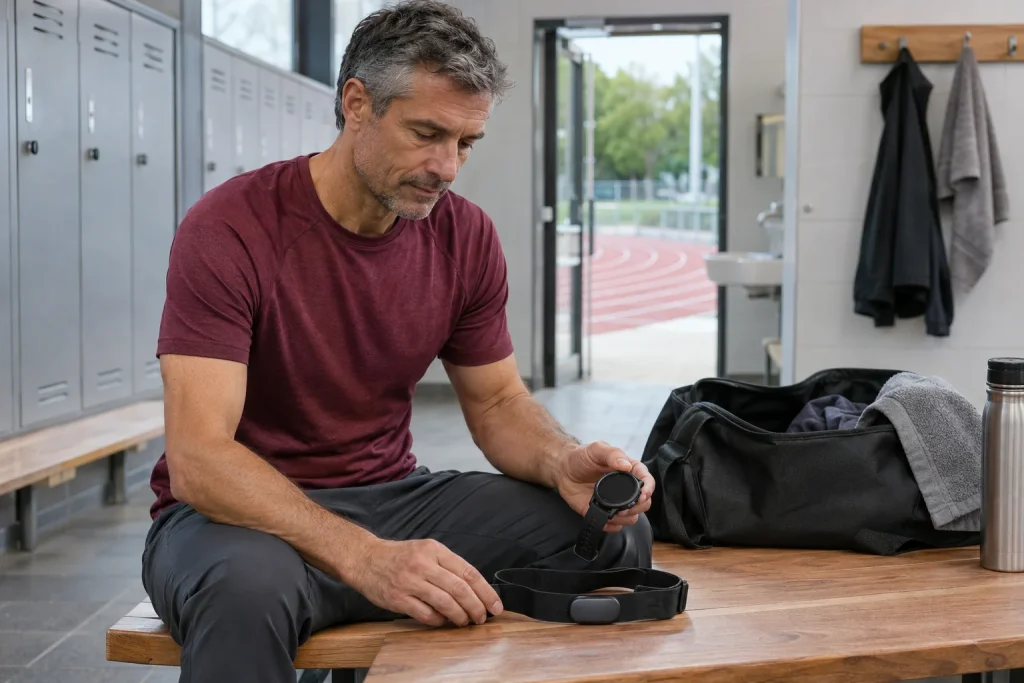
Decide clearly which device stores the H9 workout: a compatible watch or appropriate phone app. Wearing a transmitter does not create a complete run recording by itself; start and finish the recording device’s session too. Map, laps and sport profile typically come from other system components than the strap’s heart-rate data.
A workout reviewed later on a phone is a different need from a live phone recording. If the watch records properly and later syncs to its system, the phone can be an analysis location without receiving during running. If relying on a phone app, learn its support, permissions and connection method. Match the choice to both H9 limits and your habits.
An original data-route sentence might be: ‘The H9 supplies my watch’s heart rate, the watch records the run and I review it on my phone tonight.’ This is easier to verify than ‘everything should sync with everything’. After the first trial, find the complete event and intended heart-rate curve. A pairing icon or brief starting value does not prove a later complete workout.
 Enlarge image
The H9 has no H10-style workout memory
The current H9 page states ‘No memory’, while the H10 lists single-session storage. Do not erase that distinction through promises of a phone update. Use the H9’s recording receiver with the appropriate connection to preserve heart-rate data. The sensor is not a general backup recorder for watch signal gaps.
Polar Flow 7.38.0, released on 9 November 2026, introduced support for starting H10 internal-memory recording. That is an H10 feature, not new H9 storage. A shared Flow interface may support several sensors without making their hardware identical. Consider updated software and exact sensor model together.
If you want phone-free running, first ask whether your watch can record H9 heart rate itself. Then the phone’s absence does not depend on strap memory. If you want neither watch nor phone, standalone memory is a separate equipment need. ‘Training without a phone’ easily confuses these situations; specify exactly what stays home.
In the gym, GymLink is not the same as a modern app connection
The H9 technical manual lists GymLink as a 5 kHz heart-rate-only service. Compatible older equipment may display heart rate, but does not automatically send a full workout to your account. Machine distance, incline or speed do not return to the strap merely because live heart rate is displayed. Investigate the two data directions separately.
Display labels and identifying your heart-rate source particularly matter in a shared gym. Know which sensor the receiver selected and its transmission method. Polar’s ANT+ information describes signals receivable by nearby compatible devices. No elaborate system plan is needed, but selecting the correct sensor and understanding visibility settings are worth keeping.
A treadmill’s heart-rate-controlled programme is another separate question. Sending heart rate does not certify appropriate programme loading or personal zone settings. The machine must support the intended sensor and function, and you must understand its operation. Live display cannot justify universal automatic speed-control or medically supervised-exercise promises.
Contact, battery, connection: organise troubleshooting
Polar troubleshooting considers electrode moistening, strap fit and sensor condition. Uncertain readings should not immediately prompt a new watch purchase. First check correct wearing, known source and which receiver shows the issue. Technical observation describes a precise fault, not overrides bodily signals.
The H9 technical table specifies a CR2025 battery. Do not substitute another coin cell because it looks similar; replace according to your instructions. Seal and cover condition also matter; ask support if damaged or uncertain. A fresh battery cannot repair worn electrodes or release a connection held by another app.
Change one technical factor at a time where possible. Replacing battery, strap, app and watch setting together makes the cause of any change hard to identify. This is an original simple troubleshooting approach, not a solution for every fault. Clarify persistent uncertainty or malfunction through manufacturer support and handle personal health questions separately.
Find current settings on the H9’s own page
The current H9 manual describes sensor settings managed in Flow. Visibility, ANT+, GymLink and Secure mode are separate options. Do not imagine H10’s two-Bluetooth-device option automatically in the H9 menu. A shared app name does not guarantee identical options for every sensor; select your own device.
Secure mode requires encrypted Bluetooth according to the manufacturer, which not every older receiver supports. Problems with a machine require documented checking of exact version and connection. This is not general advice to disable protection. First clarify the expected connection and transmitter. Communication questions should not be confused with heart rate’s bodily origin.
Nor should factory reset be treated as the first consequence-free button. Note the faulty configuration before rearranging pairing and settings. Follow support steps for your device, not another Polar model. A good fault report contains model, app version, receiver and protocol; ‘sometimes no heart rate’ helps less.
 Enlarge image
The textile strap’s daily routine is part of usability
H9 care guidance separates transmitter and textile. Detach electronics after use and clean and dry the strap according to manufacturer instructions. The transmitter does not belong in a washing machine. Check washing conditions alongside the textile label; softener, bleach or an unsuitable cleaner do not become appropriate because they worked on other sports kit.
The strap is a wearing component. Internal electrodes may wear while the outside remains tidy. According to the manufacturer, detached, clean and dry storage matters for operation and lifespan. Give the drying strap and transmitter separate places so the next run does not begin with a wet, still-connected device from a bag.
Correct size and compatibility matter alongside sensor type. Do not choose new textile solely from similar connectors. Check accessories and support for your transmitter. Comfortable wearing with appropriate contact may offer more concrete value than an extra function never used in your training.
When is the H9 enough, and when do you need something else?
The H9 may suit a need for chest heart rate supplied to one appropriate recorder without separate memory or two simultaneous Bluetooth receivers. With an ANT+-capable system, assess connections against your plan. If standalone recording or two Bluetooth links would solve a real task, do not invent them in the H9. Extras matter when actually used.
After the trial, check the entire running event in the selected diary. Alongside heart rate, understand sport profile, time boundaries and source. For zones, see running-watch data and heart-rate zones. A simpler strap’s value is not fewer menu items, but solving your clearly defined task within an appropriate system.
Sources and device type
Checked on 21 November 2026. This guide uses the H9’s own technical page and manufacturer comparison with H10. Connection examples are conditional illustrations, not configurations tested with every brand or clinical accuracy studies.
- Polar H9 product page: Soft Strap, connections and memory comparison
- Polar H9, H10 and Verity Sense: measurement methods and differences
- Polar: simultaneous ANT+, Bluetooth and GymLink transmission
- H9 technical manual: CR2025 and supported services
- Current H9 sensor settings
- H9 care guide
- Polar: technical assessment of unusual H9/H10 heart-rate values
- Flow 7.38.0: the H10-specific memory update
How Futószív articles are prepared: our editorial guidelines.