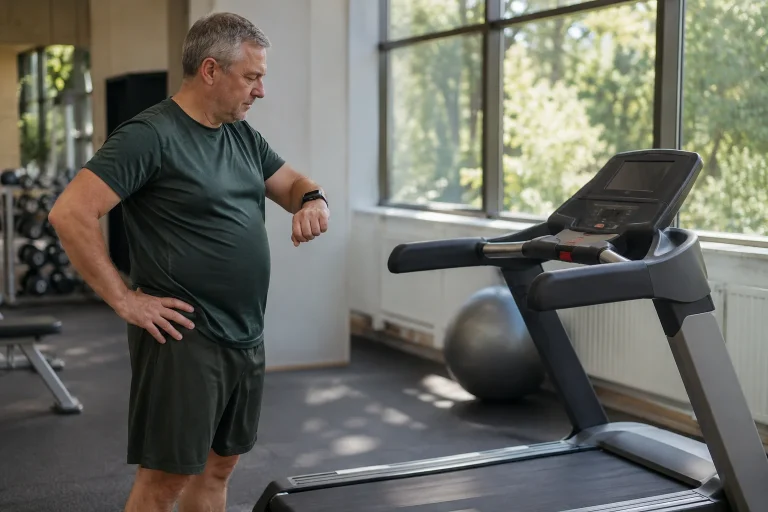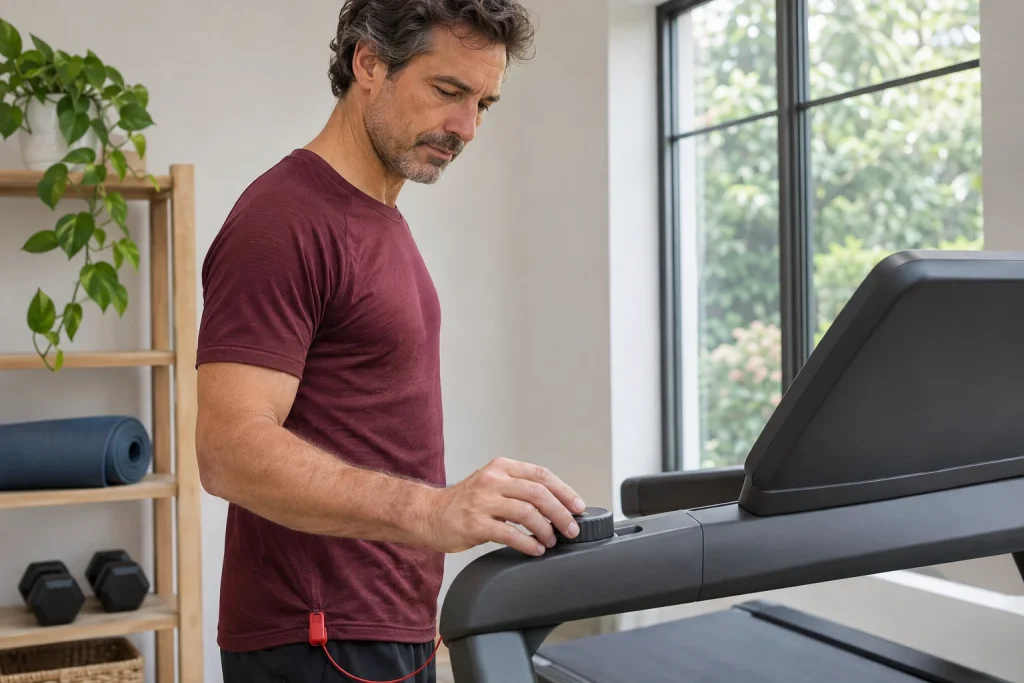
The Horizon 7.4 AT is interesting as a home treadmill where manual workout operation and data appearing in an external app are clearly separable tasks. QuickDial controls change speed and incline locally, while Bluetooth FTMS can send workout data to a compatible app. This approach may be useful for people following their own content or running in a virtual environment while understanding who controls the belt.
This article starts from the US HTM1380-01 specification and manufacturer support descriptions for individual versions, checked on 21 November 2026. Its main question is managing intervals: when do you issue a command, when does the machine reach the chosen state and what does the app save? Our numerical example shows why two “one-minute” sections can differ. We have not tested the machine ourselves, and the example is not a training plan.
The 7.4 AT’s concrete strengths are manual operation and a more spacious running surface
For the version examined, the manufacturer lists a 22 × 60-inch running surface, an 8.25-inch LCD and alphanumeric LED display. Our conversion gives a running surface of 55.88 × 152.4 cm. The right QuickDial roller controls speed and the left controls incline. Local controls offer direct access to basic machine settings, without searching a separate tablet screen for every change.
A wider running surface does not make that the entire space requirement. Side structures, the console and operating clearance need separate planning. The value converted from inches to centimetres identifies the running surface. In a home, the open machine’s actual dimensions and access tell you more than a belt looking large in a product photograph.
Begin familiarisation with a calm first use following the manual. Learn which control changes which parameter, how the console indicates the setting and how to stop the session. These are more than decorative details: training made up of short sections is easier to manage if each transition does not require rediscovering the right button or roller.
Distinguish three times during a speed change
The first is the command: you turn the roller or use a quick selection documented for that version. The second is the machine’s actual transition to the new state. The third is what an external app displays or saves. We separate these as a framework for thinking, rather than reporting measured latency for the 7.4 AT. A manufacturer claim of fast response does not supply our own timing in seconds applicable to every speed change.
For a short interval, its starting point is especially important. Is it when the roller moves, when the console shows the new target, or the moment your training method defines as the target section’s beginning? Name this beforehand for a repeatable diary. Otherwise, two identically labelled sections may contain different transitions and different amounts of time in the target state.
This does not require filming with a phone while running or inspecting the moving belt. First clarify the term used in your workout description, then read the available summary alongside it afterwards. Precise mechanical speed testing would be a separate measurement task. Agreement between console and app alone is an observation about data transfer, rather than certified belt-speed measurement.
Our teaching calculation: two different “one minutes”
In our fictional, idealised model, speed changes uniformly from 8 to 12 km/h over twenty seconds. This is a deliberately chosen mathematical condition, rather than a measured Horizon acceleration time. Average speed during the transition is 10 km/h in this model, so distance over twenty seconds is 10 × 20 / 3600 km, or approximately 55.6 metres. Next, we compare two timing rules.
| Our timing variant | What does it contain? | Calculated time and distance |
|---|---|---|
| A: one minute from the command | 20 seconds of transition, then 40 seconds at 12 km/h. | 60 seconds, approximately 188.9 metres. |
| B: one minute in the target state | 20 seconds of transition, then 60 seconds at 12 km/h. | 80 seconds, approximately 255.6 metres. |
| C: model omitting the transition | 60 seconds entirely at 12 km/h. | 60 seconds, 200 metres. |
Row C does not claim the treadmill changes instantly. It appears because we often mentally calculate a section as a simple rectangle, forgetting the real transition. A and B use the same target speed, yet time and distance differ. Here, the difference comes from the named rule, rather than a presumed equipment fault. Retain the same clarification when adding several repetitions together.
A short, consistent phrase is enough in your diary, such as “interval time counted from the manual command”. This shows what the figure means in later comparisons. The app’s automatic lap marking may still use another rule. The aim is not to impose the same convention on every system, but to know when you compare sections defined differently.
 Enlarge image
What does FTMS provide to the app, and where is heart rate?
Horizon’s general connection description includes the 7.4 AT among FTMS-compatible treadmills. The manufacturer table identifies speed, incline, distance and time data for certain apps, among other fields. Heart rate may have its own sensing and connection path. The US 7.4 AT product page also lists a Bluetooth chest strap in the package; check accessories for your own regional unit separately.
Chest-strap data do not arise merely because an app detects the treadmill. Check separately which device provides heart rate to the chosen system. Your connection diagram may contain two arrows: treadmill to training app, and sensor to training app. One can work while the other is absent. This is more useful for troubleshooting than calling every missing field a general Bluetooth fault.
Displayed heart rate helps follow training; it is neither an ECG examination nor a direct measurement of fluid loss. Establishing a connection does not change a sensor’s physiological meaning. Mark missing sections as missing in the diary; do not repair continuity of a heart-rate curve with manually invented values. Later analysis is best served by identifiable sources and gaps.
Peloton, Zwift and Kinomap: name the specific function
The manufacturer’s 7.4 AT-04 support table indicates data transfer for several external apps; a more recent general description also has a separate Peloton App+ row. Older texts within the same model family also describe a narrower heart-rate-based workflow. These should not be combined into “every Peloton feature works”. Include the current app tier, platform and received data field in the question.
Horizon’s Zwift description mentions selecting running rather than cycling mode when pairing the supported older Studio Series versions. This illustrates why finding the right device is not the whole workflow. For Kinomap too, check which machine version and data it handles. Displaying speed, playing video and automatically controlling a machine are different features; one tick does not establish all three.
Make your checklist header specific: “Exact 7.4 AT version – app name and version – intended function”. Underneath, give distance, speed, incline, heart rate and saving separate fields. This reduces misunderstandings during setup: missing data and working connections become immediately visible. A good fault description identifies the step actually blocked, rather than listing many brands.
For atZone, the version prefix is particularly important
Horizon’s atZone support table explicitly distinguishes 7.4AT-02 from 7.4AT-04. It does not indicate atZone compatibility for the former’s TM746B and TM499B serial-number prefixes, but does for the latter’s TM499G prefix; Kinomap and Zwift appear in both listed rows. These are specific manufacturer table entries, rather than our own testing or a complete list of every later regional unit.
This distinction helps practically when choosing a used machine. Instead of asking about a “Bluetooth 7.4”, request the identifier tied to support for the desired app. A seller sending a screenshot for another version does not establish the actual unit’s capabilities. Checking a serial-number prefix is different from publishing the full serial number.
Do not confuse an atZone score with sweat quantity either. Manufacturer support names a comparative rating Sweat Score; this is not directly collected or measured litres of sweat. Read its role within the app alongside the provider’s explanation. Connecting treadmill and app remains useful when you know exactly which data you are looking at.
The 7.4 AT does not automatically inherit the 7.0 AT’s watch connection
The current US comparison table indicates direct Apple Watch and Samsung Galaxy Watch connectivity for the 7.0 AT, but not the 7.4 AT; the Apple GymKit row also lacks 7.4 support. Do not therefore interpret a higher model number as a guarantee of every connection on a smaller model. Position within a family and specific communication capabilities are different things.
You can still wear a watch for independent workout recording or use another documented intermediary app workflow if your devices support it. Do not call these direct GymKit pairing with the treadmill. Be clear about your need: an independent watch diary, machine data sent to an app or direct watch data exchange? Specifying the question helps decide whether the machine’s manual-control advantage comes with the right features for you.
 Enlarge image
Usability includes the space around the machine
Horizon’s general placement guidance mentions a level, stable surface and at least two metres of rear clearance, discussing side access separately too. Follow the manual for the particular unit. Comfortable interval control depends on more than a roller: clear exit, surrounding objects and accessible local controls together shape use.
In your room plan, do not treat required rear clearance as storage for temporarily left boxes or another piece of equipment. Positioning a phone or tablet should not obscure machine controls either. Clarify connection trials and app permissions before moving; during running, use local controls according to the manual. Exploring a new app interface can be a separate, unhurried task.
The manufacturer separately lists the built-in Sprint 8 programme, but this does not mean every user needs to start with an intensive programme. A preset and your own manual workout are different choices. The article concerns operation and data-flow technology; a product description does not replace individual intensity planning. We do not present manufacturer outcome promises as certain consequences for a runner without our own measurements or a personal guarantee.
Make the next session repeatable
On the first line, identify the exact machine version and control mode. On the second, record where interval times begin; on the third, identify the app and heart-rate source. At the end, check that the summary actually belongs to the selected session. This creates a diary that can later be compared with your own earlier notes.
If you change apps or pairing, the first session’s aim may simply be clarifying the connection and saving. You need not immediately base a key workout’s entire assessment on the new data flow. A precisely documented gap is easier to address than a result whose system of origin is uncertain afterwards. Local QuickDial operation and FTMS logging work well together when you understand their separate tasks throughout.
The Horizon 7.4 AT’s technical value can therefore be understood through an orderly process: direct adjustment, appropriate space, verified app connectivity and interpretable saving. The larger running surface and manual interval control are concrete properties; watch or app extras are questions tied to the precise version. With this approach, workout data do more than transfer somewhere: what and how you recorded remains clear later.
Sources and identification of the numerical example
Checked: 21 November 2026. A technical guide based on manufacturer documentation, without our own product testing. The twenty-second acceleration and A–B–C table are an invented mathematical model, rather than a Horizon acceleration measurement or recommended interval workout.
- Horizon Fitness: 7.4 AT, US HTM1380-01 product page and comparison table
- Horizon: Connected Tech – connectivity and external apps
- Horizon: How Does the 7.4 AT-04 Connect to Apps?
- Horizon: How Do Horizon Treadmills Connect To Apps – specific data fields
- Horizon: AtZone App – compatibility by version and prefix
- Horizon: FTMS and chest strap – pairing the listed older Studio Series versions
- Horizon: Where To Put Your Treadmill – placement and clearance
How Futószív articles are prepared: our editorial guidelines.